Why processing images in the browser is a privacy win
How modern web APIs let you build genuinely private image tools — and what that means for the people who use them.
 The Wux Webtools Team
4 min read
The Wux Webtools Team
4 min read

Table of contents
The default expectation is wrong
For most of the last twenty years, doing anything non-trivial with an image on the web meant uploading it to a server. Convert a HEIC photo, strip its EXIF metadata, generate a favicon — every one of those tools historically lived behind a multipart form. The user clicked upload, the file travelled across the public internet, and a server somewhere did the work.
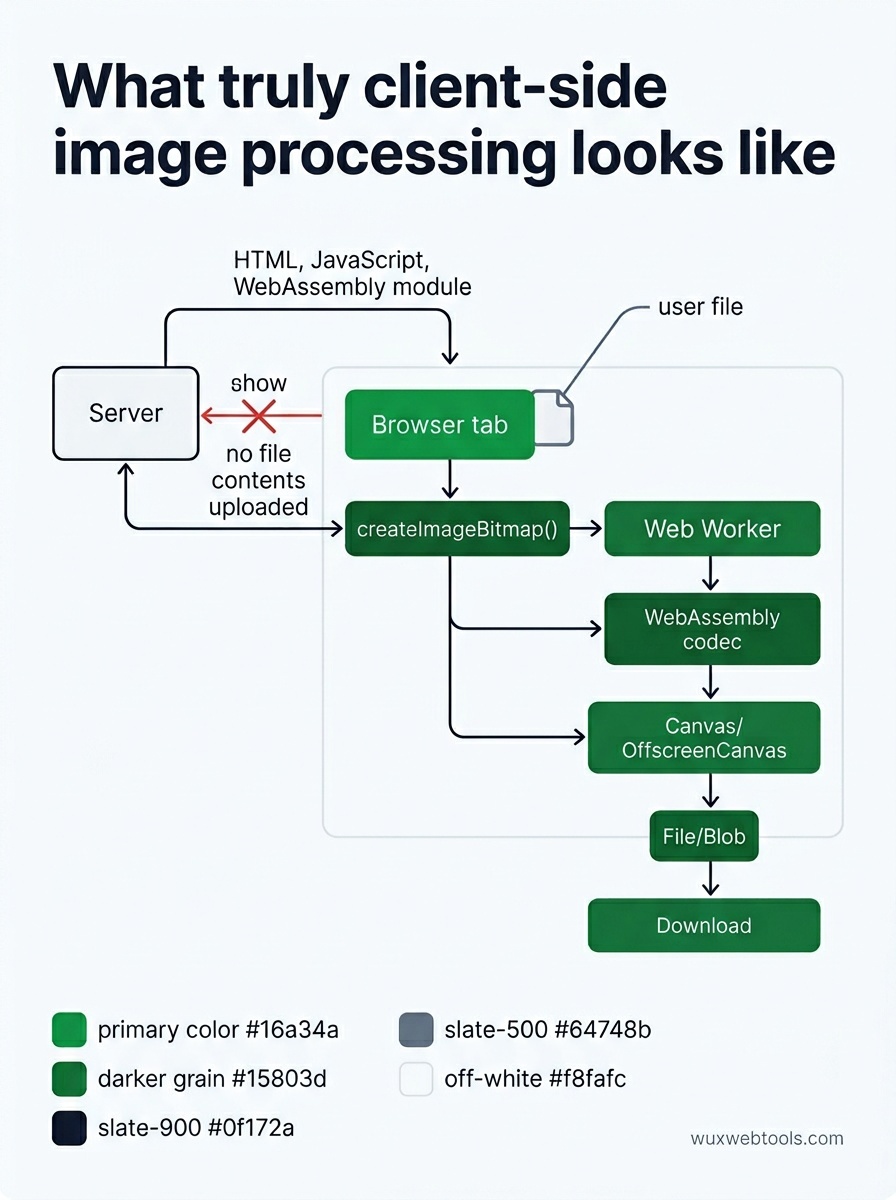
That default is no longer technically necessary. Browsers shipped APIs years ago that make the entire pipeline run locally:
<canvas>andOffscreenCanvasfor pixel-level workcreateImageBitmap()for fast, off-thread decodingFileandBlobfor reading uploads without sending them anywhere- WebAssembly for libraries like libheif, libwebp and ffmpeg
- Web Workers to keep the UI responsive while heavy work runs
If you stitch those together, the file never leaves the device. The server never sees it. There is nothing to log, nothing to leak, nothing to subpoena.
What "client-side" actually means
It is worth being precise, because the marketing copy on a lot of "private" tools is loose.
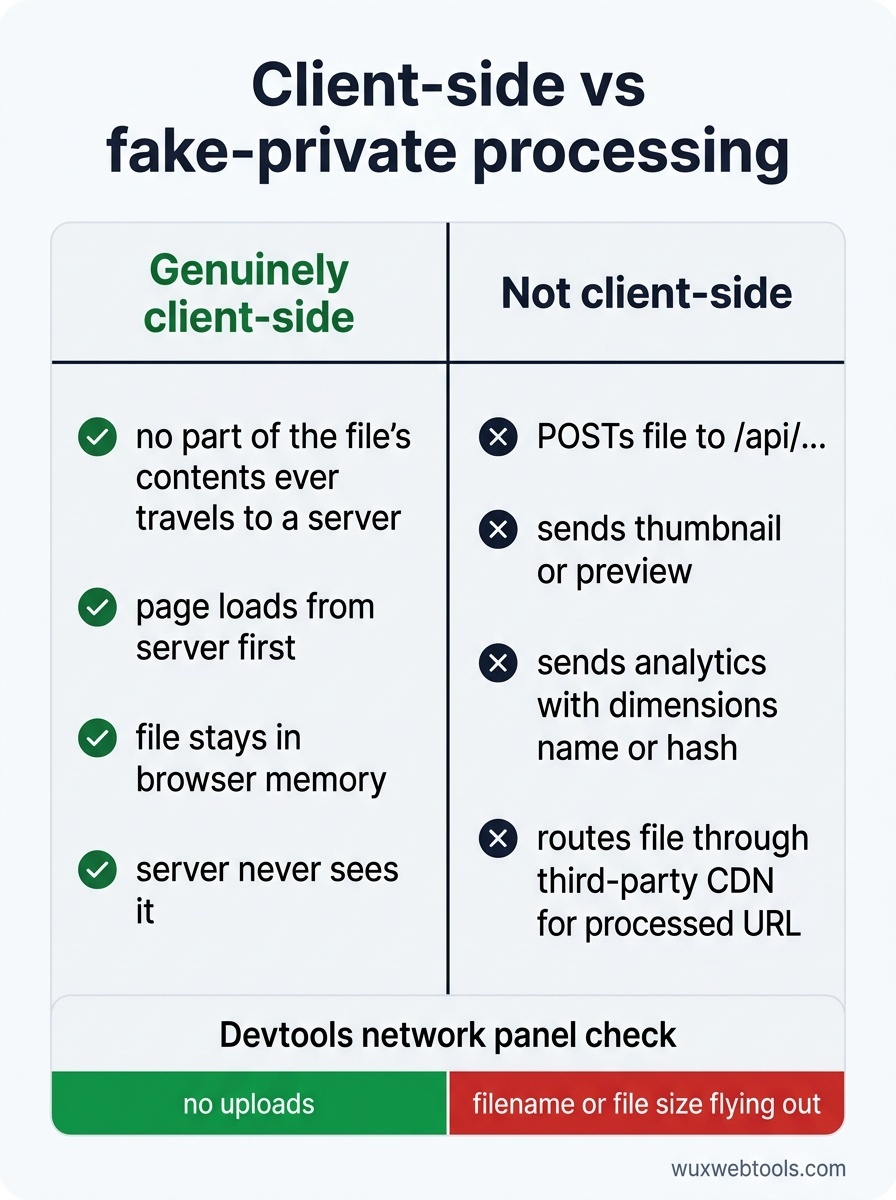
A tool is genuinely client-side when, after the page is loaded, no part of the file's contents ever travels to a server. The page itself loads from a server (HTML, JavaScript, perhaps a WebAssembly module). After that, your file enters the browser's memory and stays there until you close the tab.
A tool is not client-side if it:
- POSTs the file to an
/api/...endpoint - Sends a thumbnail or preview to a server
- Calls an analytics endpoint with file metadata (dimensions, name, hash)
- Routes the file through a third-party CDN that returns a processed URL
The network panel in your browser's devtools is the truth-teller. Open it, drop a file in, and check what gets uploaded. If you see your filename or your file size flying out, the tool is not as private as it claims.
Why this matters in practice
Three groups of people quietly benefit when image processing moves into the browser.
Journalists, activists and researchers handle source material that would be dangerous if it leaked. EXIF metadata can include GPS coordinates from the device that took the photo. A browser-side EXIF stripper means the original file never crosses the wire.
Companies under regulation — healthcare, finance, legal — would otherwise need a data-processing agreement with whoever runs the tool. A static page that does the work locally has no DPA to sign because there is no processor.
Everyone else gets the obvious benefits: faster turnaround (no upload time), no file-size limits set by a hosting bill, no failure when the server is down.
Where the trade-offs still live
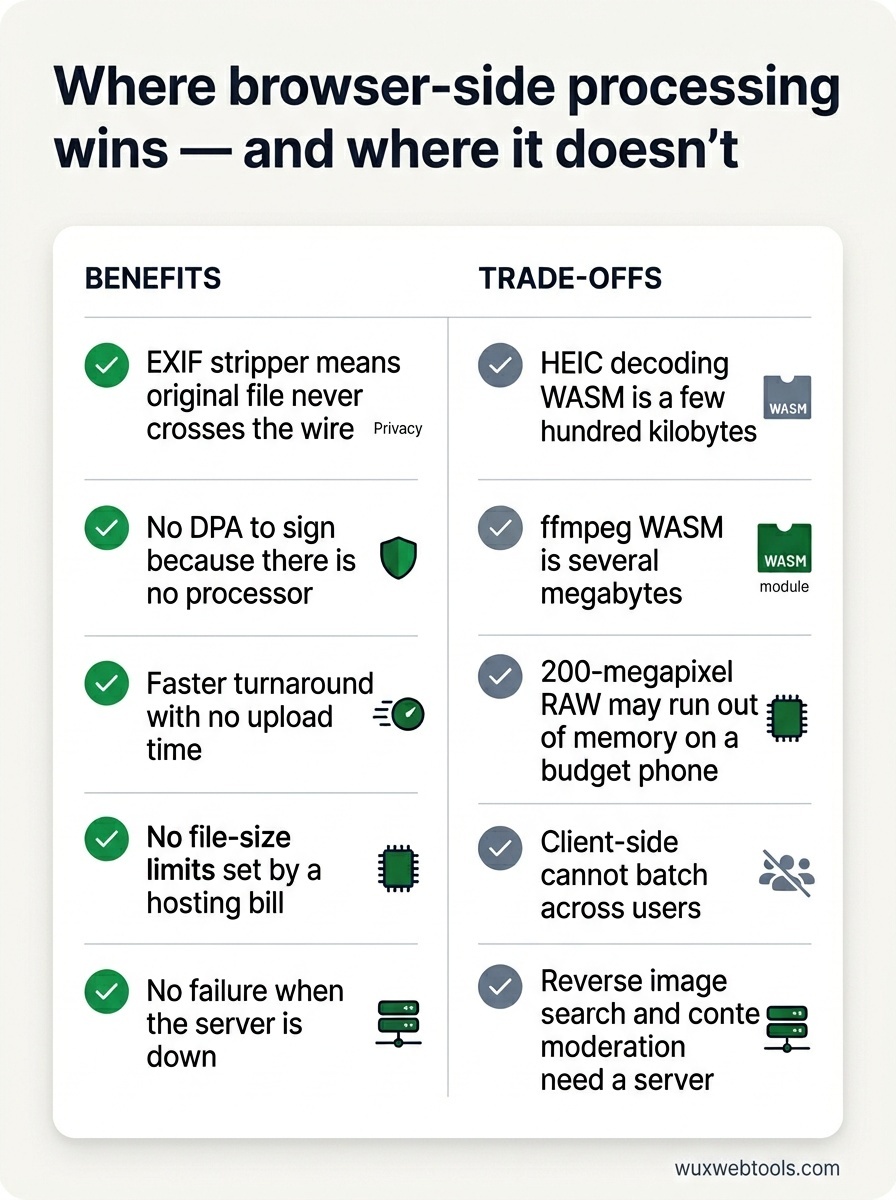
Client-side is not magic. There are real costs you should think through before choosing it for a given problem.
Cold start is heavier
A WebAssembly bundle for HEIC decoding is a few hundred kilobytes. ffmpeg compiled to WASM is several megabytes. The first visit pays that cost. Caching helps, and code-splitting helps more — only load the codec the user actually picked.
The user's hardware sets the ceiling
A 200-megapixel RAW file will run out of memory on a budget phone long before it runs out on a server. Be honest in the UI about what is realistic on the device.
You cannot batch across users
Server-side processing can deduplicate and amortise. If a million users convert the same stock image, a server can process it once. Client-side does it a million times. For most personal-tool workloads this is fine — the work is unique anyway — but it is worth knowing.
Some operations need a server
Reverse image search needs an index. Content moderation needs a model that is too large to ship. Anything that compares your file to a corpus you do not own needs a backend.
A small ethical point
If your tool genuinely is client-side, say so loudly and prove it. Link to the source, point at the network panel, explain what runs where. Phrases like "we don't store your data" mean nothing without architecture to back them up — every server-side tool that ever leaked customer data also said exactly that, and meant it at the time.
The inverse also holds. If your tool is server-side, do not pretend otherwise. Users have come to recognise the pattern, and the trust hit when they catch you is permanent.
<!-- tool-cta:start -->
💡 Try this: See client-side processing in action with the Image Compressor, which shrinks images entirely in your browser so nothing is ever uploaded to a server.
<!-- tool-cta:end -->
Where to go from here
If you are building a small image utility today, default to client-side and only reach for a server when you have a concrete reason. The browser will surprise you with how far it can carry the work — and the people on the other end of the network connection will quietly thank you for the bytes that never left their machine.
Frequently asked questions
Is client-side processing always more private than server-side?
Why don't all tools work this way then?
Does WebAssembly slow down my computer?
What about very large files?
Sources & further reading