SPF, DKIM और DMARC पास होने के बाद भी आपके emails spam में क्यों पहुँचते हैं
Authentication यह साबित करता है कि आपको भेजने की अनुमति है। यह साबित नहीं करता कि recipients वह mail चाहते हैं।
सामग्री की तालिका
- Passing authentication is the starting line, not the finish line
- SPF, DKIM और DMARC वास्तव में क्या साबित करते हैं
- सबसे बड़ा कारण: reputation
- आपकी list ही समस्या हो सकती है
- Passing DMARC का मतलब फिर भी weak alignment हो सकता है
- Content अभी भी मायने रखता है, लेकिन पुराने तरीके से नहीं
- Sending patterns suspicious दिख सकते हैं
- Unsubscribe handling अब deliverability feature है
- आपकी infrastructure noisy हो सकती है
- समस्या diagnose कैसे करें, बिना इधर-उधर हाथ-पैर मारे
- एक sober deliverability checklist
Passing authentication is the starting line, not the finish line
ज़िम्मेदार काम करना — SPF, DKIM और DMARC को सही तरह configure करना — और फिर भी अपने emails को spam में जाते देखना निराशाजनक है।
आम तौर पर भ्रम इसलिए होता है क्योंकि authentication को deliverability guarantee मान लिया जाता है। यह guarantee नहीं है। SPF, DKIM और DMARC एक सीमित सवाल का जवाब देते हैं: क्या यह server इस domain की ओर से भेजने के लिए authorized है, और क्या visible sender authenticated identity से align करता है?
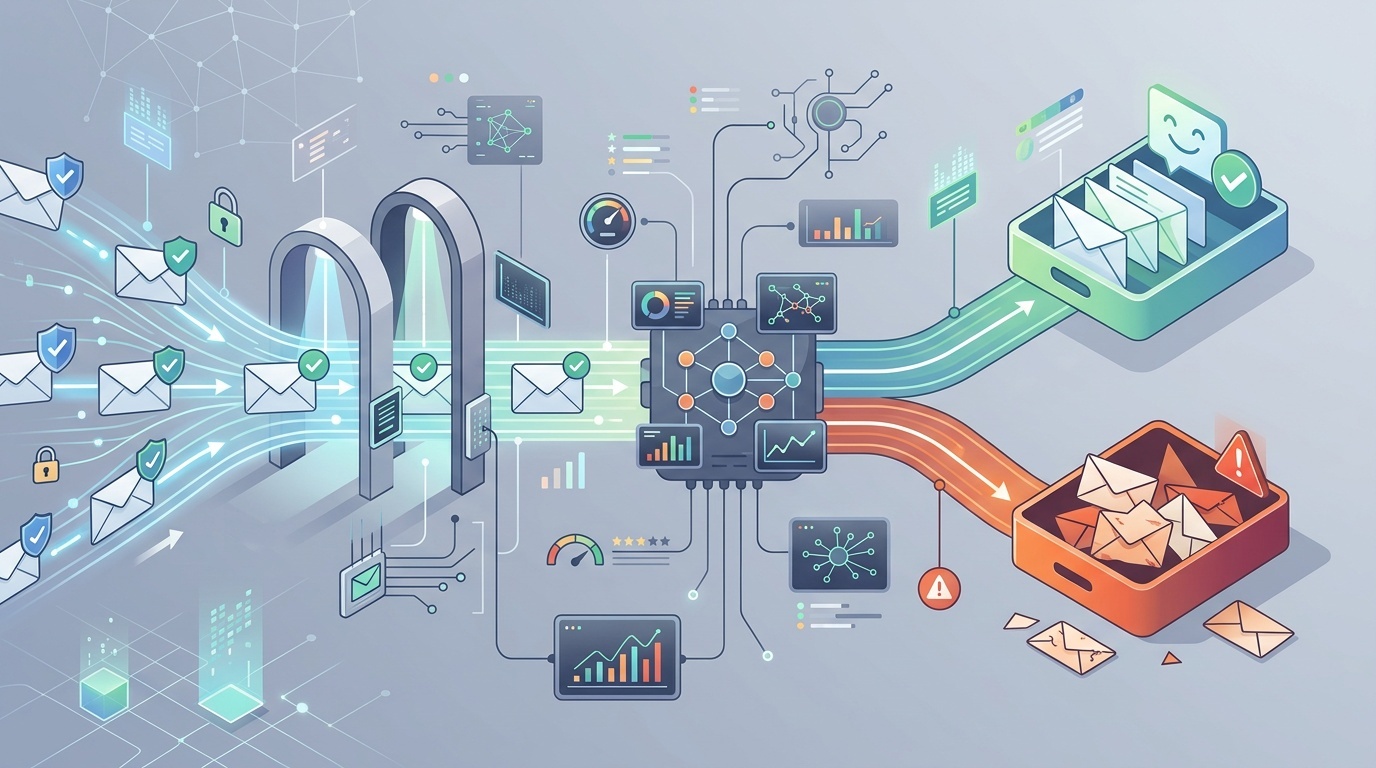
यह महत्वपूर्ण है। Authentication के बिना, modern mailbox providers का आप पर भरोसा न करना उचित है। लेकिन जब आप ये checks पास कर लेते हैं, तब भी Gmail, Outlook, Yahoo और corporate filters को यह तय करना होता है कि message चाहा गया है या नहीं, सुरक्षित है या नहीं और relevant है या नहीं। यह निर्णय sender reputation, recipient behavior, content, infrastructure, complaints, list quality और sending patterns पर निर्भर करता है।
अगर आपको records असल में क्या करते हैं, इस पर refresher चाहिए, तो हमारी developer-friendly guide MX, SPF, DKIM और DMARC से शुरू करें। यह article मानकर चलता है कि वे records पास हो रहे हैं और अगले layer पर focus करता है: mail फिर भी filter क्यों होता है।
SPF, DKIM और DMARC वास्तव में क्या साबित करते हैं
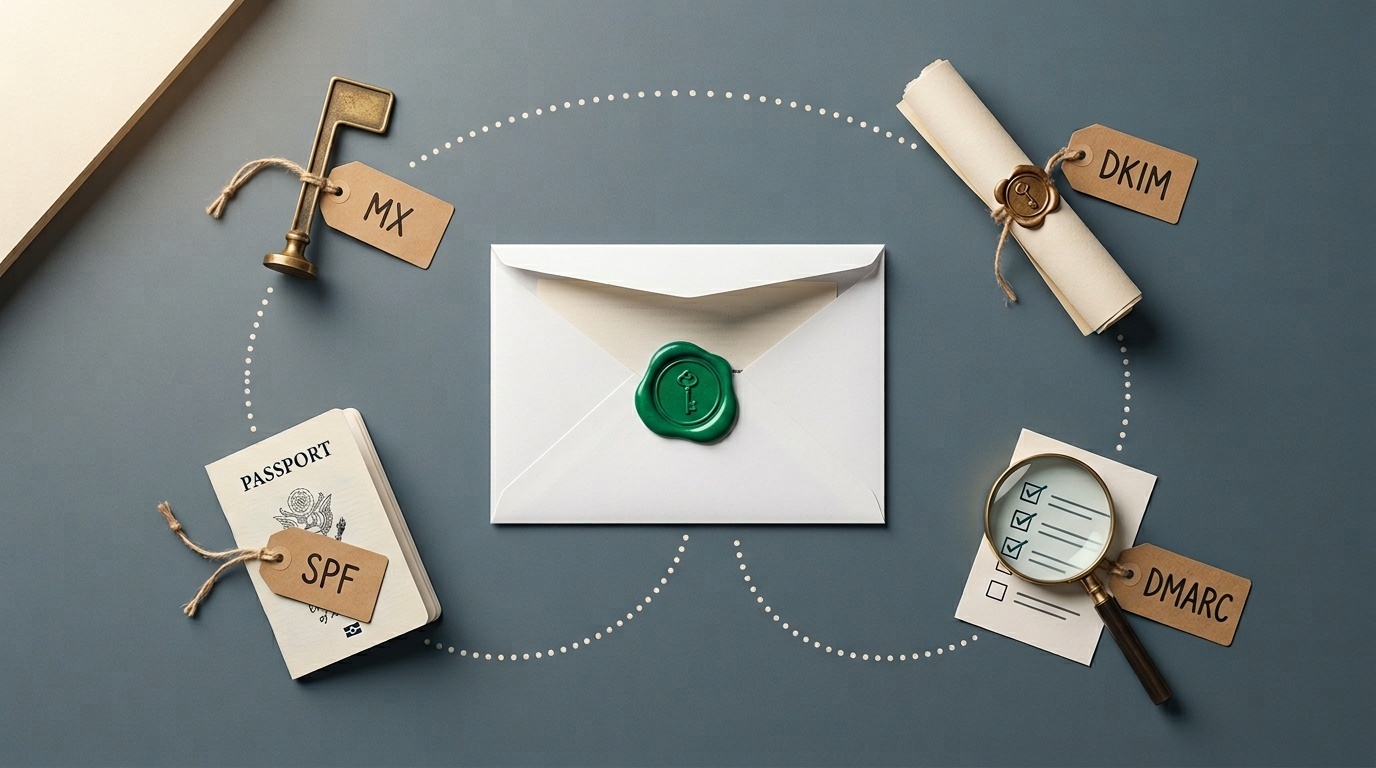
SPF जाँचता है कि sending mail server return-path में मौजूद domain द्वारा authorized है या नहीं। DKIM जाँचता है कि message किसी domain द्वारा cryptographically signed था या नहीं और message के signed parts बदले नहीं गए या नहीं। DMARC जाँचता है कि SPF या DKIM visible From domain के साथ align होने के तरीके से पास होता है या नहीं।
यह combination spoofing रोकने में मदद करता है। यह नहीं बताता कि:
- sender की reputation अच्छी है;
- recipients ने message माँगा था;
- content उपयोगी है;
- links सुरक्षित हैं;
- sending volume सामान्य है;
- domain का इतिहास साफ़ है;
- message किसी low-quality campaign का हिस्सा नहीं है।
Authentication को passport की तरह समझें। यह identity verify करता है। Border control फिर भी पूछ सकता है कि आप कहाँ जा रहे हैं, क्या ले जा रहे हैं और क्या आपने पहले कोई समस्या पैदा की है।
सबसे बड़ा कारण: reputation
Mailbox providers senders को लगातार score करते हैं। स्पष्ट कारणों से वे पूरा scoring model publish नहीं करते, लेकिन broad signals अच्छी तरह समझे जाते हैं।
Domain reputation और IP reputation दोनों मायने रखते हैं। Perfect DKIM वाला नया domain फिर भी risky दिख सकता है। कोई पुराना domain, जिसने वर्षों तक केवल invoices भेजे हों और अचानक 80,000 promotional emails भेजना शुरू कर दे, वह भी risky दिखेगा। Abusive neighbors वाला shared sending IP नुकसान पहुँचा सकता है, हालाँकि major email service providers इसे manage करने के लिए काफ़ी मेहनत करते हैं।
Reputation इनसे प्रभावित होती है:
- spam complaints;
- hard bounces;
- पुराने या abandoned addresses पर भेजना;
- अचानक volume spikes;
- low opens या ignored messages;
- पढ़े बिना delete किए गए messages;
- suspicious या newly registered domains के links;
- पिछले phishing या malware incidents;
- inconsistent sending identity।
असुविधाजनक सच: reputation धीरे-धीरे कमाई जाती है और जल्दी खो जाती है। Authentication आपको trust के योग्य बनाए रखता है। यह अपने-आप trust नहीं बनाता।
आपकी list ही समस्या हो सकती है
कई spam-folder problems असल में list-quality problems होती हैं, जो DNS problems जैसी दिखती हैं।
अगर कोई list scraped, purchased, पुराने CRM से inherited, event scans से assembled, या अस्पष्ट consent के आधार पर built है, तो वह आम तौर पर खराब perform करेगी। भले ही first campaign obvious complaints trigger न करे, mailbox providers pattern देख सकते हैं: कई recipients engage नहीं करते, कुछ spam mark करते हैं, और कुछ addresses bounce होते हैं।
अच्छी lists की origins साधारण होती हैं। लोगों ने जानबूझकर sign up किया। उन्हें पता था कि वे किसके लिए sign up कर रहे हैं। पहला email इतनी जल्दी आया कि उन्हें याद रहा कि उन्होंने sign up किया था। Unsubscribe करना आसान है।
इन list warning signs पर ध्यान दें:
- high bounce rate, खासकर first send पर;
- info@, sales@ और admin@ जैसे बहुत से role accounts;
- वर्षों पहले collect किए गए लेकिन rarely contacted addresses;
- ऐसे countries या industries के subscribers जिन्हें आप serve नहीं करते;
- unusually low click या reply rates;
- provider thresholds से ऊपर spam complaints।
B2B teams के लिए contact forms भी email flows को poison कर सकते हैं। अगर आपके forms automated abuse allow करते हैं, तो आपका domain junk notifications, fake leads या backscatter भेजना शुरू कर सकता है। हमने यह risk why your contact form is your biggest spam liability में cover किया है। Form spam सिर्फ nuisance नहीं है; यह reputation issue बन सकता है।
Passing DMARC का मतलब फिर भी weak alignment हो सकता है
कोई message “pass DMARC” कर सकता है, जबकि operationally messy रहे।
उदाहरण के लिए, आपका visible From address [email protected] हो सकता है, DKIM mailer.example.net के लिए पास हो सकता है, और SPF आपके email provider द्वारा controlled bounce domain के लिए पास हो सकता है। Alignment settings और provider configuration के आधार पर, यह technically acceptable हो सकता है। लेकिन clean setup आम तौर पर आपके domain या clearly related subdomain से sign करता है।
Check करें:
- DKIM d= domain: क्या यह आपके From domain से match या align करता है?
- return-path domain: क्या यह आपका है या आपके provider का?
- DMARC policy: क्या आप वर्षों बाद भी
p=noneपर हैं? - subdomain policy: क्या भूले हुए subdomains unprotected हैं?
- forwarding behavior: क्या forwarded messages SPF तोड़ रहे हैं लेकिन DKIM के ज़रिए बच रहे हैं?
Strict alignment हर sender के लिए mandatory नहीं है, लेकिन identity coherent होनी चाहिए। अगर humans और filters दोनों unrelated domains की उलझन देखते हैं, तो trust कमजोर होता है।
Content अभी भी मायने रखता है, लेकिन पुराने तरीके से नहीं
एक समय था जब deliverability advice “free”, “guarantee” या “act now” जैसे words पर obsess करती थी। वह सलाह अब बहुत simplistic है। Modern filters message context, sender history, link reputation, HTML structure, user behavior और कई अन्य signals देखते हैं।
फिर भी, content आपको नुकसान पहुँचा सकता है।
Common problems में शामिल हैं:
- destination छिपाने वाले link shorteners;
- mismatched link domains;
- बहुत कम real text वाले image-only emails;
- हर link पर heavy tracking wrappers;
- broken HTML या malformed MIME parts;
- ऐसे attachments जिनकी recipients को उम्मीद नहीं थी;
- deceptive subject lines;
- अत्यधिक personalization जो machine-generated दिखती है;
- legal footer text जो sending organization से match नहीं करता।
एक अच्छा test: क्या email तब भी समझ में आएगा अगर सभी images blocked हों और tracking parameters हटा दिए जाएँ? अगर नहीं, तो message fragile है।
Message के actual source को भी inspect करें। Email headers HTTP headers जैसे नहीं होते, लेकिन habit समान है: guessing बंद करें और raw conversation देखें। debugging redirects and HTTP headers के लिए हमारा छोटा toolkit web के लिए लिखा गया है, फिर भी वही discipline email पर लागू होता है: verify करें कि क्या भेजा गया, क्या signed था और links कहाँ resolve होते हैं।
Sending patterns suspicious दिख सकते हैं
Mailbox providers समय के साथ behavior की परवाह करते हैं। कोई छोटी company जो महीने में 500 emails भेजती है और अचानक एक afternoon में 50,000 भेजती है, वह ध्यान खींचेगी, भले ही हर message authenticated हो।
इसीलिए warming मायने रखती है। Warming कोई जादू नहीं है। इसका मतलब बस volume को धीरे-धीरे बढ़ाना है, पहले उन लोगों को भेजते हुए जिनके engage करने की संभावना सबसे अधिक है। अगर वे recipients open, click, reply करते हैं या किसी और तरीके से mail को wanted मानते हैं, तो आपकी reputation के सुरक्षित रूप से बढ़ने की संभावना बेहतर होती है।
Bad sending patterns में शामिल हैं:
- बड़े volume spikes;
- irregular “blast and disappear” schedules;
- सबसे कम engaged recipients को पहले भेजना;
- careful sunset policy के बिना old lists को reactivate करना;
- planning के बिना same domain पर transactional और marketing mail मिलाना;
- email service providers और volume को एक ही समय पर बदलना।
कई teams के लिए fix segmentation है। Important mail को stable domain या subdomain से भेजें। Marketing experiments को अलग रखें। किसी risky campaign को password resets, invoices या account alerts को damage न करने दें।
Unsubscribe handling अब deliverability feature है
Mailbox providers bulk senders से increasingly expect करते हैं कि वे unsubscribing को आसान बनाएँ। इसका मतलब visible unsubscribe links और, कई bulk senders के लिए, one-click unsubscribe headers है।
Unsubscribe link छिपाना self-defeating है। अगर लोग unsubscribe नहीं कर सकते, तो वे message को spam mark करेंगे। Spam complaint, unsubscribe की तुलना में कहीं अधिक मजबूत negative signal है।
सुनिश्चित करें:
- unsubscribe link login की आवश्यकता के बिना काम करता है;
- requests जल्दी honor की जाती हैं;
- bulk mail के लिए List-Unsubscribe header मौजूद है;
- preference centers simple हैं, maze नहीं;
- unsubscribed users CRM syncs द्वारा फिर से add नहीं होते।
यह उन areas में से एक है जहाँ legal compliance और deliverability एक ही दिशा दिखाते हैं: recipient की choice का सम्मान करें।
आपकी infrastructure noisy हो सकती है
अच्छे DNS के बावजूद, infrastructure mistakes trust को कमजोर कर सकती हैं।
Sending IPs के लिए reverse DNS check करें। सुनिश्चित करें कि HELO/EHLO names sensible हैं। Compromised web servers से भेजने से बचें। Monitor करें कि आपका domain या IP reputable blocklists पर दिखाई देता है या नहीं। TLS working रखें। जब risk profiles अलग हों, mail streams अलग करें।
Third-party senders के साथ भी सावधान रहें। आपके SPF record में allowed हर platform, publish किया गया हर DKIM selector और हर integration जो आपके domain के रूप में भेज सकता है, आपकी email reputation surface का हिस्सा बन जाता है। Old tools, forgotten CRMs और abandoned marketing platforms हटाए जाने चाहिए।
एक practical quarterly review:
- आपके domain के लिए email भेजने को authorized हर service की list बनाएँ।
- Confirm करें कि internally हर service का owner कौन है।
- Unused SPF includes और DKIM keys हटाएँ।
- Unknown senders के लिए DMARC aggregate reports review करें।
- Mail stream के अनुसार complaint, bounce और unsubscribe rates check करें।
यह glamorous work नहीं है। लेकिन कई deliverability problems यहीं मिलती हैं।
समस्या diagnose कैसे करें, बिना इधर-उधर हाथ-पैर मारे
एक साथ दस चीज़ें न बदलें। आपको कभी पता नहीं चलेगा कि किससे मदद मिली।
हाल के किसी ऐसे message से शुरू करें जो spam में गया और इस sequence से आगे बढ़ें:
- Authentication confirm करें। Received headers में SPF, DKIM और DMARC results check करें।
- Alignment check करें। Verify करें कि कौन-से domains पास हुए और क्या वे visible From domain से align करते हैं।
- Mail stream identify करें। क्या यह transactional, lifecycle, sales, newsletter या cold outreach है?
- Audience quality review करें। क्या यह opted-in, recently engaged recipients को भेजा गया था?
- Links inspect करें। क्या link domains reputable, consistent और expected हैं?
- Engagement देखें। क्या recipients open, click, reply कर रहे हैं या ignore कर रहे हैं?
- Complaints और bounces check करें। ये अक्सर open rates से अधिक revealing होते हैं।
- Providers compare करें। क्या issue मुख्य रूप से Gmail, Outlook, corporate filters या everywhere है?
- एक variable बदलें। Segment करें, volume घटाएँ, list clean करें या content adjust करें — फिर measure करें।
अगर आप meaningful volume भेजते हैं, तो जहाँ उपलब्ध हों वहाँ mailbox providers द्वारा दिए गए reporting tools का उपयोग करें। वे हर detail reveal नहीं करेंगे, लेकिन यह दिखा सकते हैं कि आपको domain reputation, IP reputation, authentication या complaint-rate problem है या नहीं।
<!-- tool-cta:start -->
💡 यह आज़माएँ: SPF पास होने पर भी, गलत कॉन्फ़िगरेशन और लुकअप सीमाएँ डिलिवरेबिलिटी को नुकसान पहुँचा सकती हैं—SPF Tester से अपना रिकॉर्ड दोबारा जाँचें।
<!-- tool-cta:end -->
एक sober deliverability checklist
अगर आपका email authenticate होता है लेकिन फिर भी spam में जाता है, तो पहले इन fixes पर focus करें:
- केवल उन लोगों को भेजें जिनकी clear consent है या जिनसे strong existing relationship है;
- hard bounces तुरंत remove करें;
- chronically inactive recipients को suppress करें;
- unsubscribing को complaining से आसान बनाएँ;
- From names और domains consistent रखें;
- sudden volume increases से बचें;
- जहाँ उचित हो transactional और promotional mail अलग करें;
- DNS से unused third-party senders हटाएँ;
- aligned DKIM domain से mail sign करें;
- DMARC reports और complaint data monitor करें।
Pattern सरल है: identifiable बनें, expected बनें, wanted बनें और consistent रहें।
SPF, DKIM और DMARC आवश्यक हैं क्योंकि वे साबित करते हैं कि आपका mail आसानी से forged नहीं है। लेकिन inbox placement reputation decision है। Mailbox providers केवल यह नहीं पूछ रहे, “क्या यह सच में आपसे है?” वे पूछ रहे हैं, “क्या हमारे users आपसे mail चाहते दिखते हैं?”
दूसरे सवाल का जवाब देना कठिन है, और उसे fake करना भी कठिन है। यही सवाल तय करता है कि authenticated mail inbox तक पहुँचेगा या नहीं।
अक्सर पूछे जाने वाले प्रश्न
क्या SPF, DKIM और DMARC सभी pass होने पर भी email spam में जा सकता है?
क्या p=reject की DMARC policy inbox placement सुधारती है?
क्या marketing email के लिए अलग domain use करना चाहिए?
क्या spam trigger words अभी भी important हैं?
जब कोई campaign spam में जाए तो पहले क्या check करना चाहिए?
स्रोत और आगे की पढ़ाई