Favicon formats explained: ICO, PNG, SVG and what browsers need
A practical guide to the tiny icon stack that still carries 25 years of browser history.
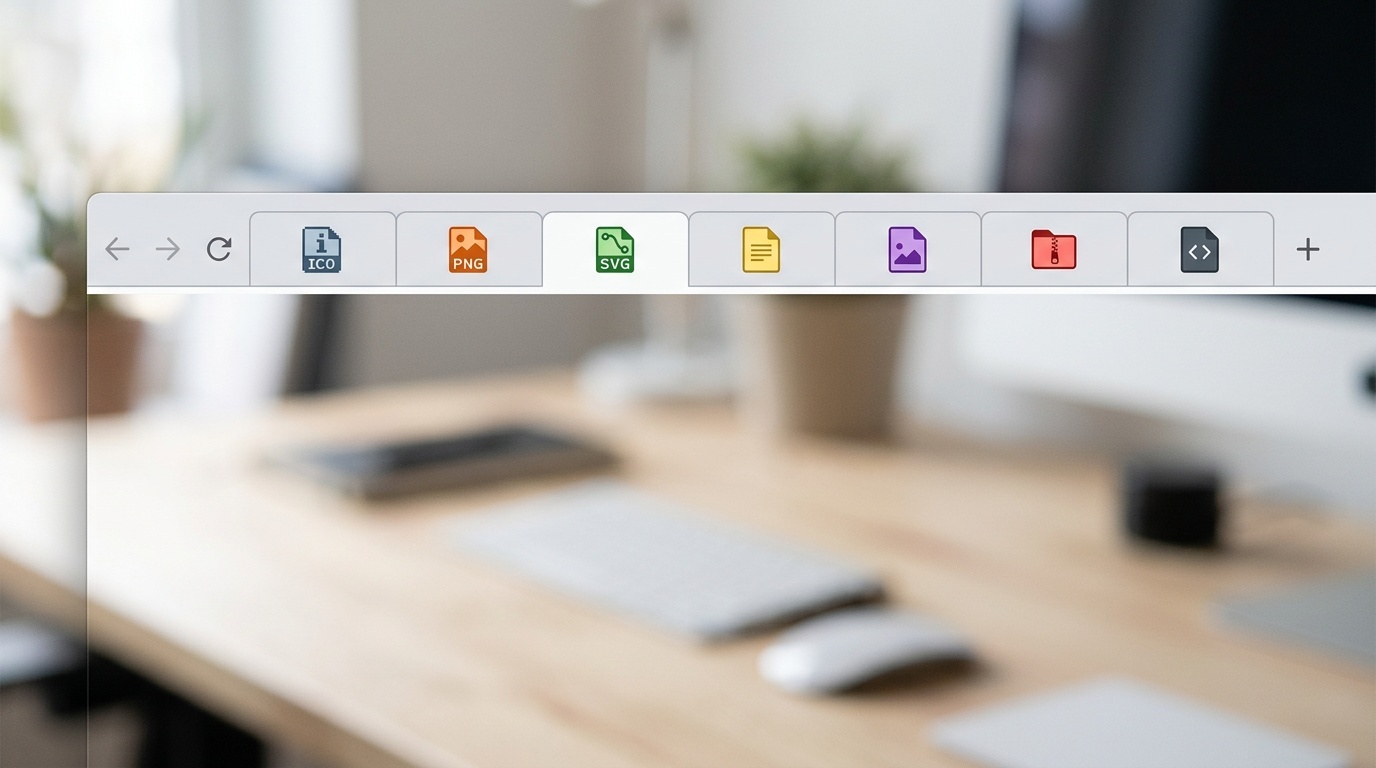
Table of contents
Why favicons are still oddly complicated
A favicon looks like one small image, but it sits at the intersection of browser chrome, bookmarks, tabs, pinned shortcuts, search results, mobile home screens and progressive web app installs. Each context has slightly different expectations.
That is why favicon advice often feels messy. Some teams ship only a single favicon.ico because that used to be enough. Others generate a dozen files without knowing which ones are actually being used. The sensible middle ground is smaller: understand what ICO, PNG and SVG each do well, then ship a compact set that covers current browsers and common device contexts.
Favicons are not the place to show off an image pipeline. They are the place to be boring, explicit and compatible.
ICO: the old format that refuses to die
ICO is the classic Windows icon container. It can hold several bitmap images at different sizes, commonly 16×16, 32×32 and 48×48 pixels. That matters because a favicon may be rendered very small in a browser tab, larger in a bookmark list, and differently again on Windows shortcuts.
The important detail is that ICO is a container, not simply one image. A good favicon.ico usually contains multiple raster sizes so the browser or operating system can choose the nearest match instead of scaling a single tiny bitmap.
ICO is still useful for three reasons:
- Browsers may request
/favicon.icoautomatically, even if you do not link it in your HTML. - Some older browsers and integrations expect it.
- It is a safe fallback when newer icon declarations are ignored.
That does not mean ICO should be your only icon. It is awkward to edit, not especially friendly to modern workflows, and poor as the source of truth for a brand mark. Treat it as the compatibility fallback.
In practice, place a real /favicon.ico at the site root. Do not serve a 404 there unless you enjoy noisy logs and needless browser retries.
PNG: the reliable workhorse
PNG is still the most predictable raster format for favicons and touch icons. It supports transparency, is widely supported, and behaves consistently across browsers and platforms.
For favicons, PNG is useful when you want explicit pixel-sized icons such as 32×32 or 48×48. For mobile home screen icons, PNG is effectively mandatory in some environments. Apple touch icons, for example, are PNG-based in normal production use.
A few practical rules help:
- Export from a vector source, not from an already-small bitmap.
- Make the icon legible at 16×16 before caring about larger sizes.
- Add enough padding so the mark does not feel clipped in rounded or masked contexts.
- Avoid fine text, thin lines and detailed illustrations.
PNG compression is usually not worth obsessing over for favicons because the files are tiny. Still, do not ship a 500 KB touch icon because it came straight out of a design export. If you are already reviewing broader image choices, the same disciplined thinking from image format decisions on the modern web applies here too: choose the format for the job, not because it is fashionable.
SVG: the modern, flexible option
SVG favicons are attractive because they are resolution-independent. A single small file can render cleanly at many sizes, and it can be edited directly in code or exported from design software.
Modern Chromium, Firefox and Safari versions support SVG favicons. That makes SVG a good primary favicon format for many sites, especially when the icon is a simple logo, glyph or geometric mark.
But SVG favicons come with caveats.
First, the SVG should be self-contained. Do not rely on external fonts, remote images or scripts. Browsers apply restrictions to SVG used as an image, and even when something works in one browser it may fail in another.
Second, keep it visually simple. SVG does not magically solve the 16-pixel problem. A detailed vector illustration is still a blur when squeezed into a tab.
Third, be careful with dynamic styling. Some teams use prefers-color-scheme inside an SVG favicon so the icon adapts to dark and light browser themes. This can work, but browser behavior and caching can be uneven. If brand recognition matters, a single robust icon often beats a clever adaptive one.
SVG is a good source and a good modern delivery format. It is not a reason to skip fallback files.
What browsers actually look for
Browsers discover favicons in two main ways: explicit HTML links and implicit root requests.
The implicit behavior is the old one: if the browser wants an icon and has not found one, it may request /favicon.ico. This is why the root ICO file remains useful even on modern sites.
The explicit behavior uses <link> elements in the document head. A compact modern setup looks like this:
<link rel="icon" href="/favicon.ico" sizes="32x32">
<link rel="icon" href="/icon.svg" type="image/svg+xml">
<link rel="apple-touch-icon" href="/apple-touch-icon.png">
<link rel="manifest" href="/site.webmanifest">
The manifest can then point to larger PNG icons used for installable web apps:
{
  "icons": [
    { "src": "/icon-192.png", "sizes": "192x192", "type": "image/png" },
    { "src": "/icon-512.png", "sizes": "512x512", "type": "image/png" }
  ]
}
This is not the only valid setup, but it is a good baseline. It gives modern browsers an SVG, provides a conventional ICO fallback, covers iOS home screen saves, and supports app installation contexts.
The favicon set most sites should ship
For a normal marketing site, documentation site, SaaS app or publication, this set is enough:
/favicon.icocontaining 16×16 and 32×32, optionally 48×48./icon.svgas the modern scalable favicon./apple-touch-icon.pngat 180×180./icon-192.pngand/icon-512.pngif you have a web app manifest.
You can add more sizes if a platform has a specific requirement, but do not generate ten files out of habit. Every extra file is another thing to cache, forget, misname or leave stale after a rebrand.
If your site is not installable and has no manifest, you may not need the 192 and 512 pixel icons. If your site behaves like an app, you probably do.
Common failure modes
The most common favicon bugs are not artistic. They are delivery problems.
One is aggressive caching. Browsers hold onto favicons stubbornly. During testing, a changed icon may not appear until you hard refresh, clear site data, use a new file name, or test in a fresh profile. For production rebrands, changing /icon.svg?v=2 may help in HTML, but the root /favicon.ico is harder because browsers request it directly. Replacing the file and waiting out caches is often part of the job.
Another common problem is the wrong MIME type. SVG should be served as image/svg+xml, PNG as image/png, and ICO commonly as image/x-icon or image/vnd.microsoft.icon. Many browsers are forgiving, but not all contexts are. If something fails only in one browser, inspect the network response before redrawing the icon. The same habits used when debugging redirects and HTTP headers in production apply here: look at the actual response, not what the CMS claims it is serving.
A third issue is design density. Logos that work beautifully on a website header often fail as favicons. The tab icon is a brutal test. Remove words, simplify shapes, increase contrast, and test at real sizes. If the icon is meaningful content inside the page, then accessibility concerns such as alt text matter; for the favicon itself, it is browser interface decoration, not page content. For the distinction, see our pragmatic guide to image alt text.
<!-- tool-cta:start -->
💡 Try this: Generate the ICO, PNG and SVG variants modern browsers expect in one pass with the Ultimate Favicon Generator.
<!-- tool-cta:end -->
A simple implementation checklist
Use this checklist before shipping:
- Start from a clean vector master.
- Test the mark at 16×16 and 32×32.
- Export a self-contained SVG favicon.
- Generate a multi-size ICO fallback.
- Export a 180×180 Apple touch icon.
- Add 192×192 and 512×512 PNGs if using a manifest.
- Put
/favicon.icoat the site root. - Verify status codes, MIME types and caching headers.
- Test in at least one Chromium browser, Firefox and Safari if your audience includes Apple devices.
Favicons are small, but they are also highly visible. A broken one makes a site feel unfinished. A well-made one disappears into the interface, which is exactly the point.
Frequently asked questions
Do I still need favicon.ico?
Can I use only an SVG favicon?
What size should a PNG favicon be?
Why does my new favicon not show up?
Should favicons use AVIF or WebP?
Sources & further reading