How to strip EXIF metadata before sharing photos online
Location, camera model, and editing history leak from every photo you post. Here's how to remove them systematically.
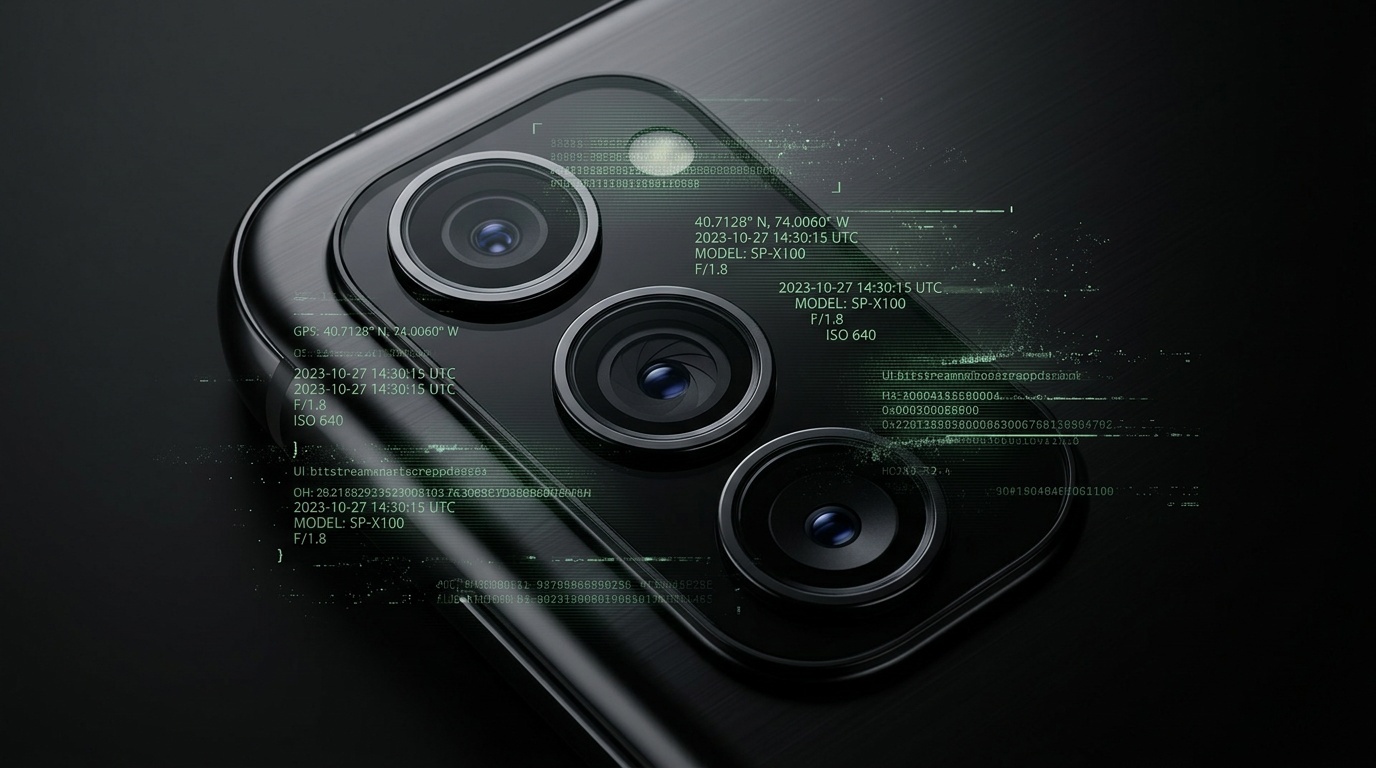
Table of contents
Why EXIF metadata matters
Every photo from a modern camera or phone carries a hidden payload of technical data: GPS coordinates, device make and model, timestamp, software version, sometimes even lens serial numbers. This EXIF (Exchangeable Image File Format) metadata exists to help photographers organize their work, but it leaks more than most people realize when shared publicly.
The risk isn't theoretical. A 2019 study found that 64% of photos uploaded to social platforms still contained GPS coordinates after upload, despite platform policies claiming otherwise. Stalking cases have been built on geotagged Instagram posts. Journalists have been tracked through photo metadata. Even casual users have inadvertently revealed home addresses by posting photos taken in their living rooms.
The solution is straightforward: strip EXIF data before sharing. The challenge is doing it systematically, across devices and workflows, without breaking image quality or adding friction to every upload.
What EXIF actually contains

A typical smartphone photo embeds 20-40 metadata fields. The most sensitive:
- GPS coordinates (latitude, longitude, sometimes altitude)
- Timestamp (exact date and time the photo was taken)
- Device identifiers (camera make, model, sometimes serial number)
- Software version (iOS version, Android build, editing apps used)
- Camera settings (ISO, aperture, shutter speed, focal length)
Some fields are harmless. Knowing a photo was shot at f/2.8 reveals nothing personal. But GPS coordinates pinpoint where you were at a specific time. Device identifiers can be cross-referenced across platforms to link anonymous accounts to real identities. Timestamps can establish patterns of behavior.
The metadata footprint varies by device. iPhones embed more location data than most Android phones by default. Professional cameras often include lens serial numbers. Editing software adds its own layer: Photoshop writes editing history, Lightroom logs which presets you applied.
Platform policies are unreliable
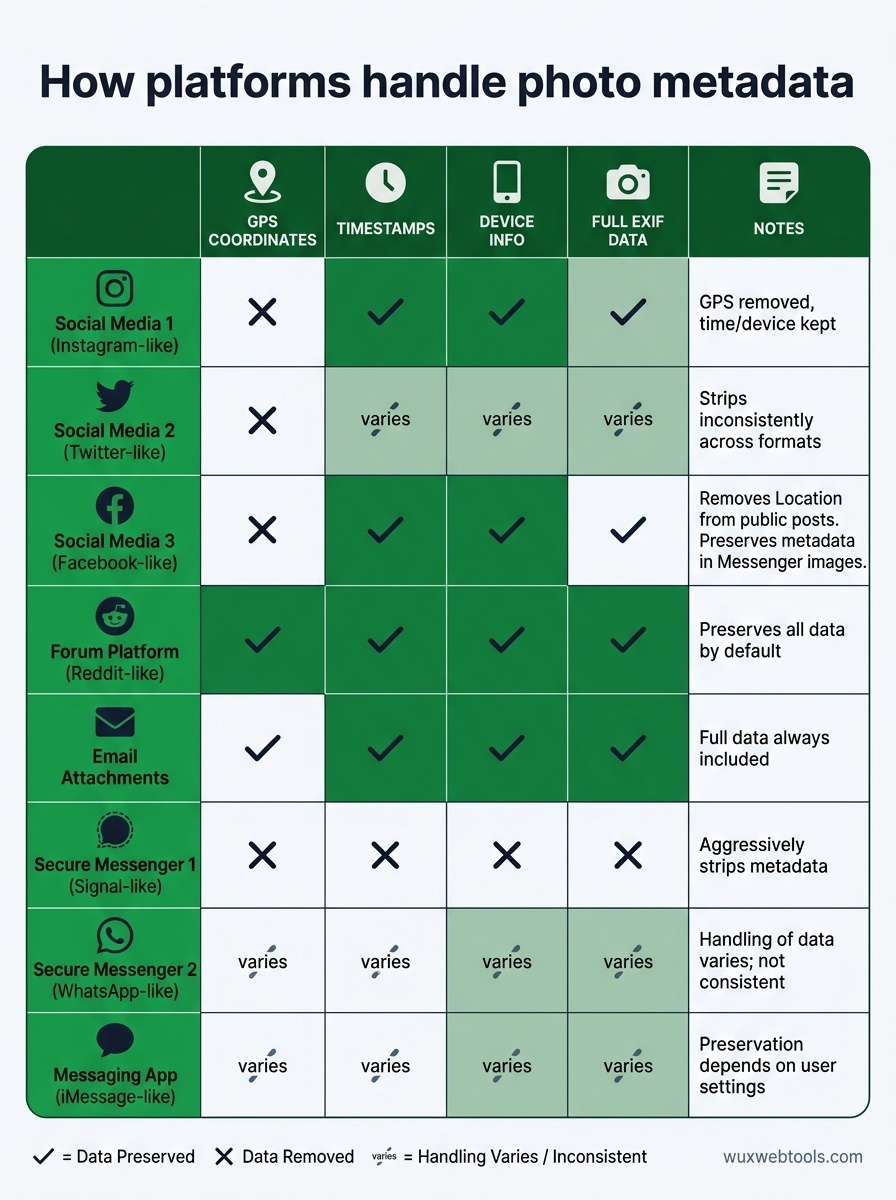
Most social platforms claim to strip EXIF on upload. The reality is inconsistent:
- Instagram removes GPS coordinates but preserves timestamps and device info
- Twitter strips most EXIF but inconsistently across image formats
- Facebook removes location data from public posts but not from Messenger images
- Reddit preserves all EXIF data unless you manually strip it first
The policies also change without notice. A platform that strips metadata today might preserve it tomorrow after a product update. Relying on automatic stripping is a gamble.
Worse, metadata often survives in unexpected places. Email attachments preserve full EXIF. Cloud backup services may strip data from web uploads but not from mobile apps. Messaging apps vary wildly: Signal strips metadata, WhatsApp doesn't always, iMessage depends on settings.
If the metadata matters, strip it yourself before the file leaves your device.
How to strip EXIF systematically
The right approach depends on your workflow. Casual users need something frictionless. Professionals need batch processing and format preservation.
On mobile devices
For iOS, the Shortcuts app can strip EXIF automatically. Create a shortcut that removes location data and device info, then trigger it from the share sheet before posting. This takes two minutes to set up and becomes invisible once configured.
Android users have more native options. The Google Photos app offers a "Remove location data" toggle before sharing. Third-party apps like Photo Metadata Remover handle batch operations and support more formats.
Both platforms let you disable location tagging entirely in camera settings. This is the most reliable long-term solution, though it means losing the data even when you want it.
On desktop
For batch processing, ExifTool is the standard. It's a command-line utility that strips metadata from thousands of files in seconds without recompressing images. The learning curve is steep but the control is total.
GUI alternatives exist. ImageOptim (Mac) strips EXIF while compressing images. ExifCleaner (Windows, Mac, Linux) offers drag-and-drop stripping. Both preserve image quality and handle common formats.
If you're already processing images in the browser, client-side tools offer a privacy advantage: the file never leaves your machine. Processing images client-side means no server logs, no accidental cloud storage, no third-party access to your originals.
In automated workflows
If you publish images programmatically—through a CMS, a static site generator, or a build pipeline—strip EXIF at build time. Most image optimization libraries (Sharp, ImageMagick, Pillow) support metadata removal as a flag.
The key is making it automatic. Manual stripping works until you're tired or in a hurry. Automated stripping works every time.
What you lose by stripping metadata
Removing EXIF isn't free. You lose:
- Photo organization: timestamps and GPS data help sort and search large libraries
- Copyright information: EXIF can embed creator name and usage rights
- Technical learning: camera settings teach you what worked and what didn't
The trade-off is context-dependent. Photos for public sharing rarely need metadata. Photos for personal archives do. The solution is to keep two copies: originals with full EXIF in secure storage, stripped versions for sharing.
Some metadata is worth preserving even in public photos. Copyright and creator information protect attribution. Camera settings help other photographers learn. The goal isn't to strip everything—it's to strip what reveals more than you intend.
A practical metadata policy
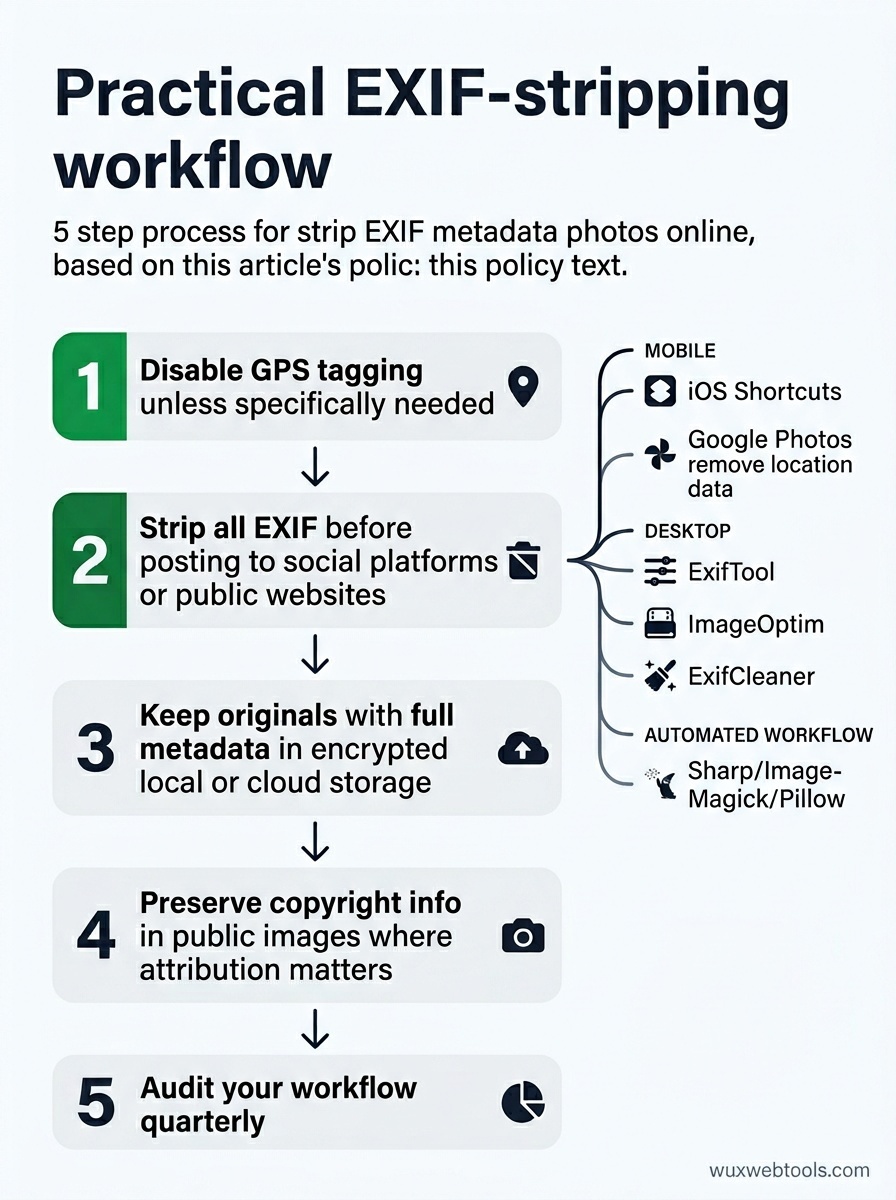
Here's a workable default:
- Disable GPS tagging in your camera app unless you specifically need it
- Strip all EXIF before posting to social platforms or public websites
- Keep originals with full metadata in encrypted local or cloud storage
- Preserve copyright info in public images where attribution matters
- Audit your workflow quarterly to catch new apps or platforms that preserve metadata unexpectedly
The policy should match your threat model. Journalists and activists need stricter rules than hobbyists. But everyone benefits from knowing what their photos reveal and controlling it deliberately rather than by accident.
Metadata leaks aren't dramatic. They're cumulative. Each photo reveals a little. A year of photos reveals patterns. A decade reveals a life. Stripping EXIF is a small friction that prevents a large exposure.
Key takeaways
- EXIF metadata embeds GPS coordinates, timestamps, and device identifiers in every photo, and platform stripping policies are inconsistent and unreliable
- The most effective approach is to strip metadata yourself before sharing, using native tools on mobile or batch processors on desktop
- Disable GPS tagging in camera settings by default, and only enable it when you specifically need location data
- Keep two copies of important photos: originals with full metadata in secure storage, stripped versions for public sharing
- Automate metadata removal in any publishing workflow to ensure it happens consistently without manual intervention
FAQ
Q: Do I need to strip EXIF if I'm only sharing photos in private messages?
A: It depends on the platform and your trust in the recipient. Signal strips metadata automatically. WhatsApp and iMessage don't always. If the conversation is truly private and you trust the recipient not to reshare, the risk is lower. But metadata persists in backups and can leak if either account is compromised. For sensitive photos, strip EXIF even in private channels.
Q: Will stripping EXIF reduce image quality?
A: No. EXIF data is stored separately from the image itself. Removing it doesn't touch the pixel data or recompress the file. Quality loss only happens if you use a tool that recompresses the image as part of the stripping process. Use tools that explicitly preserve the original encoding (ExifTool, ImageOptim, ExifCleaner) and quality stays identical.
Q: Can I strip EXIF from photos I've already posted online?
A: Not from the platform itself—once uploaded, the metadata is in their system. But you can delete the post, strip the metadata from your local copy, and re-upload. This won't help if someone already downloaded the original, but it limits future exposure. For old posts on platforms that don't strip metadata (like Reddit), this is worth doing for sensitive images.
Q: Is there a way to fake EXIF data instead of removing it?
A: Yes, but it's rarely useful. You can edit EXIF fields to show false GPS coordinates or device info, but this creates more problems than it solves. Inconsistent metadata across photos can actually make you more identifiable. Stripping is cleaner and more reliable than spoofing.
Q: What about other file types—do PDFs and documents have similar metadata?
A: Yes. PDFs embed author names, software versions, edit timestamps, and sometimes file paths that reveal your username or directory structure. Word documents, spreadsheets, and presentations all carry metadata. The same principles apply: strip metadata before sharing sensitive documents, and use tools designed for each format (ExifTool handles many, but specialized tools exist for Office formats).
<!-- tool-cta:start -->
💡 Try this: Strip location, device and timestamp data from your photos before posting them using the Exif Remover.
<!-- tool-cta:end -->
Sources
- "EXIF Data: What It Is and How to Remove It" — Electronic Frontier Foundation
- "Metadata in Digital Photos: Privacy and Security Implications" — National Institute of Standards and Technology
- "ExifTool by Phil Harvey" — Comprehensive metadata tool documentation
- "Social Media Image Metadata Study" — Academic research on metadata preservation across platforms