आपकी site को छोटे नहीं, कम requests क्यों भेजने चाहिए
Tiny files मुफ्त नहीं होते। Modern HTTP ने request overhead को छोटा किया है, अप्रासंगिक नहीं।
सामग्री की तालिका
- “बस हर file को छोटा कर दो” वाला आरामदेह मिथक
- Requests सिर्फ bytes नहीं होतीं
- “लेकिन HTTP/2 ने इसे ठीक कर दिया,” ज्यादातर नहीं
- Waterfall में ही सच्चाई रहती है
- Smaller files अब भी मायने रखती हैं — बस बराबर नहीं
- कई small files की hidden costs
- 1. Late discovery
- 2. Header overhead
- 3. Main-thread interruption
- 4. Cache complexity
- Bundling वापस है, लेकिन judgment के साथ
- Third-party requests extra suspicion deserve करती हैं
- Practical request-reduction checklist
- Remove
- Combine thoughtfully
- Defer
- Cache properly
- Re-measure
- अच्छा कैसा दिखता है
“बस हर file को छोटा कर दो” वाला आरामदेह मिथक
सालों तक, web performance सलाह सरल लगती थी: सब कुछ compress करो, सब कुछ minify करो, हर asset को छोटा बनाओ।
यह सलाह अब भी व्यापक रूप से सही है। 40 KB script आमतौर पर 400 KB script से बेहतर होती है। Optimized image raw export से बेहतर होती है। Brotli, AVIF, CSS minification, tree shaking, और font subsetting सभी मायने रखते हैं।
लेकिन कई production sites पर, बड़ा problem अब एक oversized file नहीं रह गया है। यह उन चीज़ों की संख्या है जिनके लिए browser को पूछना पड़ता है, इससे पहले कि page usable महसूस हो।
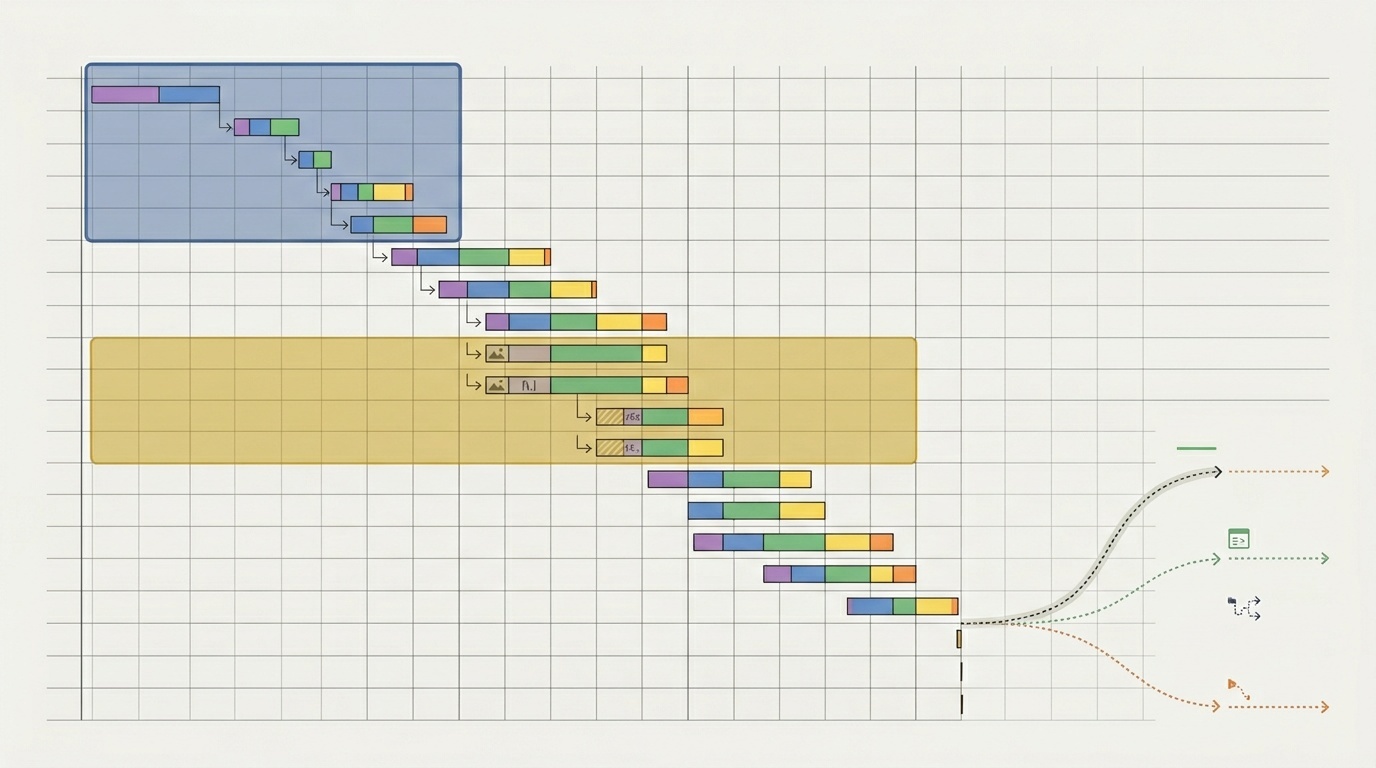
एक page file sizes में disciplined दिख सकता है और फिर भी slow हो सकता है क्योंकि वह 120 requests भेजता है: CSS fragments, JavaScript chunks, third-party tags, font files, tracking pixels, icon sprites, JSON endpoints, preloads, analytics beacons, और cache revalidations। हर एक “छोटी” हो सकती है। साथ मिलकर, वे एक लंबा, fragile waterfall बनाती हैं।
Practical rule यह है: जब individual assets reasonably compressed हों, तो requests की संख्या घटाना अक्सर हर file से कुछ kilobytes कम करने की तुलना में user experience को अधिक सुधारता है।
Requests सिर्फ bytes नहीं होतीं
Network request केवल data transfer नहीं है। यह कामों की एक sequence है।
Browser को resource discover करना होता है, तय करना होता है कि उसे कब fetch करना है, उसे अन्य resources के विरुद्ध schedule करना होता है, headers भेजने होते हैं, server का इंतज़ार करना होता है, headers receive करने होते हैं, response parse करना होता है, अक्सर उसे decompress करना होता है, और फिर उसके साथ कुछ उपयोगी करना होता है।
वह “कुछ उपयोगी” महंगा हो सकता है। JavaScript file को parse, compile, और execute करना होता है। CSS file rendering को block कर सकती है। Font file readable text को delay कर सकती है या layout shifts पैदा कर सकती है। Image Largest Contentful Paint element को affect कर सकती है। Third-party script अपनी dependency chain ला सकती है।
इसीलिए request count अब भी मायने रखता है, भले ही files छोटी हों। 3 KB script 30 KB image से खराब हो सकती है अगर वह rendering block करती है, late arrive होती है, और main thread पर गलत समय पर execute होती है।
अगर आप Lighthouse report पढ़ रहे हैं और दर्जनों अलग-अलग warnings से परेशान महसूस कर रहे हैं, तो individual scores के बजाय request waterfall को देखना शुरू करें। हमारे पास how to read a Lighthouse report without panicking में एक practical walkthrough है, लेकिन short version यह है: पता लगाएँ कि first render को क्या block करता है और main content को क्या delay करता है।
“लेकिन HTTP/2 ने इसे ठीक कर दिया,” ज्यादातर नहीं
HTTP/2 और HTTP/3 ने requests की economics बदली। उन्होंने multiplexing, header compression, और बेहतर connection behavior introduce किया। सरल शब्दों में, browsers fewer connections पर multiple requests भेजने में बहुत बेहतर हो गए।
यह वास्तविक improvement था। इसने कुछ पुराने habits भी खत्म किए, जैसे extreme CSS sprites और giant concatenated bundles जो केवल connection limits से बचने के लिए बनाए जाते थे।
लेकिन HTTP/2 ने requests को मुफ्त नहीं बनाया।
Multiplexing तब मदद करता है जब कई resources connection share करते हैं, लेकिन browser को फिर भी उन्हें prioritize करना पड़ता है। Servers को फिर भी respond करना पड़ता है। Client को फिर भी हर response process करना पड़ता है। Congestion, packet loss, TLS negotiation, DNS lookup, cache misses, और main-thread pressure अब भी मौजूद हैं।
HTTP/3 कुछ transport behavior को improve करता है, खासकर connection migration और transport layer पर head-of-line blocking के आसपास। यह resources को discover, schedule, download, parse, और execute करने की cost हटाता नहीं है।
इसलिए modern goal “सब कुछ एक enormous file में bundle कर दो” नहीं है। यह है “कम critical requests भेजो, और बाकी requests को intentional बनाओ।”
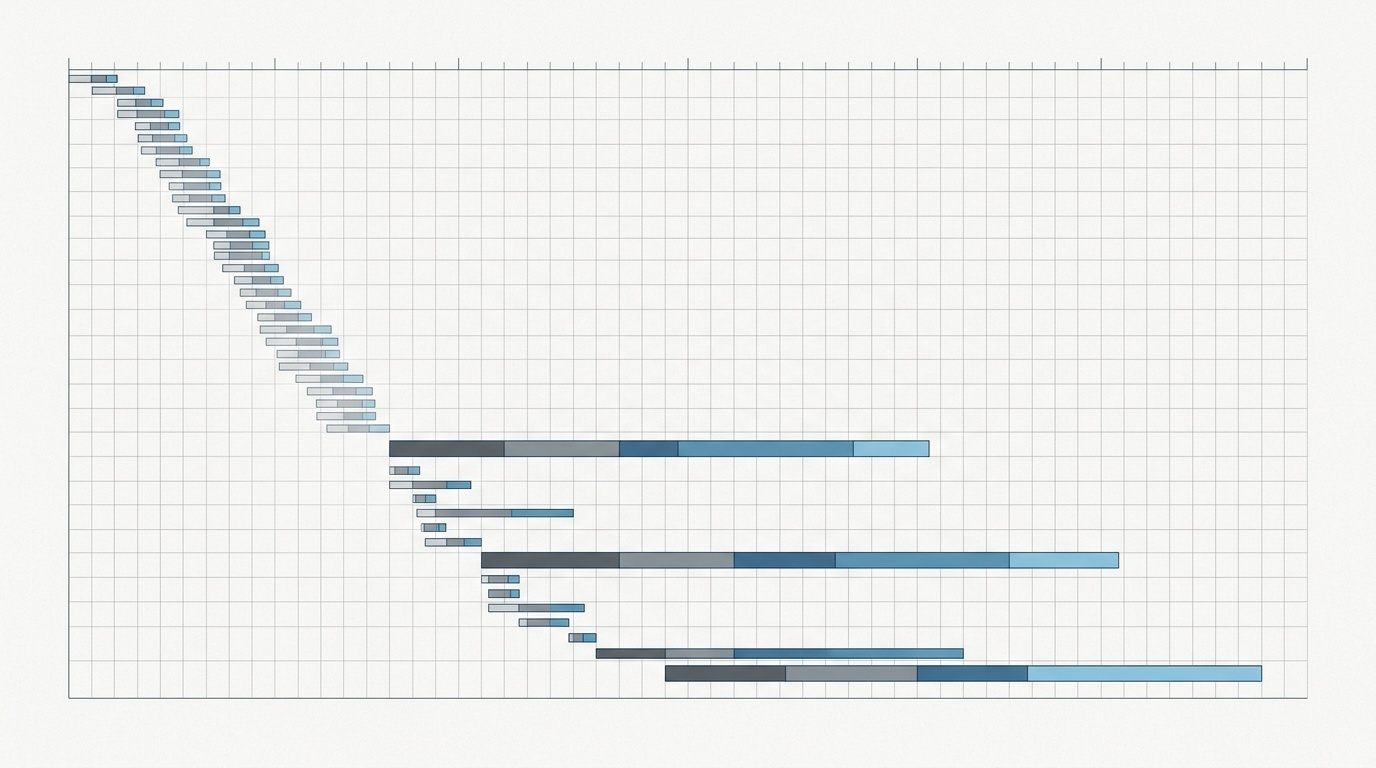
Waterfall में ही सच्चाई रहती है
Performance problems शायद ही कभी एक single metric में खुद को announce करती हैं। वे shape के रूप में दिखती हैं।
Browser network panel खोलें और पहले कुछ seconds देखें। पूछें:
- Main content appear होने से पहले कितनी requests start होती हैं?
- कौन सी requests rendering block करती हैं?
- क्या important resources late discover होते हैं?
- क्या third-party scripts first-party CSS, fonts, या images से compete कर रही हैं?
- क्या कई files cache से direct serve होने के बजाय 304 responses return कर रही हैं?
- क्या icons, fonts, या UI fragments page की ज़रूरत से अधिक files में split हैं?
Fast page में आमतौर पर boring early waterfall होता है। Critical resources की छोटी संख्या early arrive होती है। Non-critical resources wait करते हैं। Third-party scripts delayed, limited, या removed होती हैं। Browser को page paint करने से पहले twenty priorities juggle करने के लिए मजबूर नहीं किया जाता।
Slow page में अक्सर nervous waterfall होता है: कई small files, कई origins, और कई late discoveries।
Smaller files अब भी मायने रखती हैं — बस बराबर नहीं
यह compression या optimization के खिलाफ argument नहीं है। यह coordination को ignore करते हुए bytes optimize करने के खिलाफ argument है।
Smaller files सबसे अधिक तब मायने रखती हैं जब resource large, render-blocking, या main content path का हिस्सा हो। उदाहरण के लिए:
- Hero image ठीक से sized और encoded होनी चाहिए।
- Render-blocking CSS lean होनी चाहिए।
- First interaction के लिए needed JavaScript minimal होनी चाहिए।
- Fonts subset, compressed, और वास्तव में use होने वाले weights तक limited होने चाहिए।
Fonts एक common example हैं। Teams अक्सर इस बात पर obsess करती हैं कि font file 24 KB है या 31 KB, जबकि वे six weights, two styles, और multiple families ship करती हैं। बेहतर fix एक file से 7 KB shaving नहीं है। यह fewer font files भेजना है। अगर typography आपके performance work का हिस्सा है, तो web fonts are still one of the easiest wins on most sites इस request-count work के लिए उपयोगी है।
Images भी वही pattern follow करती हैं। AVIF या WebP meaningful bytes बचा सकते हैं, लेकिन fold के ऊपर ten decorative images भेजना फिर भी bad plan है। बेहतर formats चुनें, हाँ, लेकिन यह भी सवाल करें कि क्या हर image को request करने की ज़रूरत है। Format decisions के लिए, हमारा guide when AVIF beats WebP and when it does not इस request-count work का उपयोगी companion है।
कई small files की hidden costs
कई small requests अक्सर ऐसी problems पैदा करती हैं जो केवल total transferred bytes देखने पर दिखाई नहीं देतीं।
1. Late discovery
Browsers वह request नहीं कर सकते जिसे उन्होंने discover नहीं किया है। CSS file font reference कर सकती है। Script दूसरी script import कर सकती है। Component hydration के बाद JSON request कर सकता है। हर dependency chain में एक और step जोड़ती है।
Chain जितनी deep होगी, important work उतना late start होगा।
2. Header overhead
हर request और response में headers शामिल होते हैं। Header compression मदद करता है, खासकर HTTP/2 और HTTP/3 पर, लेकिन यह overhead खत्म नहीं करता। Cookies इसे बहुत worse बना सकते हैं। अगर आपकी site हर request के साथ large cookies भेजती है, तो tiny assets व्यवहार में उतने tiny नहीं रहते।
यह एक कारण है कि static assets को अक्सर cookie-free paths या domains पर रहना चाहिए, और cache headers पर attention क्यों deserve करते हैं। अगर production में headers अजीब behave कर रहे हैं, तो debugging redirects and HTTP headers आमतौर पर guessing से faster है।
3. Main-thread interruption
कई JavaScript chunks repeated parse और execution work पैदा कर सकते हैं। भले ही हर chunk छोटा हो, browser code evaluate करने के लिए बार-बार रुक सकता है। इससे Interaction to Next Paint hurt हो सकता है और page jittery महसूस हो सकता है।
User को इससे फर्क नहीं पड़ता कि हर file छोटी थी। उन्हें फर्क पड़ता है कि menu tap करने में 600 milliseconds लगे।
4. Cache complexity
Assets split करना carefully किया जाए तो caching improve कर सकता है। Stable vendor bundle और changing app bundle एक अच्छा split हो सकता है।
लेकिन excessive chunking उल्टा पड़ सकता है। More files का मतलब more cache lookups, more revalidation opportunities, more version coordination, और resources को गलती से invalidate करने के more ways, जिन्हें change करने की जरूरत नहीं थी।
Bundling वापस है, लेकिन judgment के साथ
Web performance के पहले era को bundling पसंद थी क्योंकि browsers में strict connection limits थीं। फिर HTTP/2 आया और कई teams aggressive code splitting की ओर strongly swing कर गईं। उसमें से कुछ useful था। कुछ superstition बन गया।
Sensible middle route-aware bundling है।
Typical marketing site या content site के लिए:
- Initial rendering के लिए needed CSS को ही inline या load करें।
- Global JavaScript को छोटा रखें।
- Tiny modules को separate network requests में split करने से बचें।
- Interactive features को delay करें जिनकी तुरंत जरूरत नहीं है।
- Third-party scripts हटाएँ जो अपनी cost justify नहीं करतीं।
Application के लिए:
- हर component के बजाय route या major feature के आधार पर split करें।
- Shared dependencies को stable और cacheable रखें।
- केवल वही resources preload करें जिनकी soon definite need हो।
- Public pages पर admin, dashboard, editor, या experiment code load करने से बचें।
- केवल bundle size नहीं, interaction cost measure करें।
Bundling automatically good नहीं है। Code splitting automatically good नहीं है। Useful question यह है: क्या यह split browser को next meaningful user experience जल्दी deliver करने में मदद करता है?
Third-party requests extra suspicion deserve करती हैं
First-party requests कम से कम आपके control में होती हैं। Third-party requests अक्सर दिखने से slow, less predictable, और more expensive होती हैं।
Single tag manager analytics, ads, heatmaps, chat widgets, A/B testing, consent tools, और personalization scripts trigger कर सकता है। हर vendor और requests ला सकता है। कुछ early run होंगे। कुछ main thread block करेंगे। कुछ आपके release process के बिना change होंगे।
सबसे अच्छा third-party optimization deletion है। दूसरा सबसे अच्छा delay है।
Third-party script जोड़ने से पहले पूछें:
- क्या इसे user के page देखने से पहले load होना जरूरी है?
- क्या इसे हर page पर load होना जरूरी है?
- क्या यह consent, interaction, या idle time के बाद load हो सकता है?
- Internally इसका owner कौन है?
- कौन सा metric साबित करता है कि यह performance cost के लायक है?
यहीं performance governance बन जाती है। किसी को no कहने की अनुमति होनी चाहिए।
Practical request-reduction checklist
उन pages से शुरू करें जो सबसे अधिक मायने रखते हैं: homepage, pricing page, product page, checkout, signup, या top landing pages। फिर waterfall के through काम करें।
Remove
- Unused JavaScript और CSS delete करें।
- Old experiments, abandoned pixels, और duplicate analytics हटाएँ।
- Unused font weights और icon libraries drop करें।
- जहाँ appropriate हो, decorative images को CSS से replace करें।
Combine thoughtfully
- Tiny JavaScript modules को bundle करें जो हमेशा साथ load होते हैं।
- Same render path को block करने वाली small CSS files merge करें।
- Repeated icons के लिए SVG sprites या inline SVG use करें जब यह maintainability को hurt किए बिना requests reduce करे।
Defer
- Below-the-fold images lazy-load करें।
- Non-critical scripts को first paint या user interaction के बाद तक delay करें।
- Comments, embeds, maps, chat, और video players केवल जरूरत होने पर load करें।
Cache properly
- Versioned static assets के लिए long-lived caching use करें।
- उन files के लिए unnecessary revalidation से बचें जो rarely change होती हैं।
- HTML fresh रखें, लेकिन hashed assets को cached रहने दें।
Re-measure
हर change के बाद waterfall फिर check करें। Goal perfect score नहीं है। Goal fewer critical requests, earlier useful rendering, और less main-thread disruption है।
अच्छा कैसा दिखता है
Healthy page में जरूरी नहीं कि possible requests की सबसे कम संख्या हो। उसमें छोटा, deliberate critical path होता है।
Browser HTML, essential CSS, main content image अगर कोई है, शायद navigation या above-the-fold interaction के लिए required small script, और text readable बनाने के लिए needed minimum font set प्राप्त करता है। बाकी सब अपनी turn का इंतज़ार करता है।
यही difference है एक ऐसे page में जो merely optimized है और एक ऐसे page में जो fast महसूस होता है।
Files को shrink करना अब भी worth doing है। लेकिन अगर site पहले से reasonably compressed है, तो next performance win आमतौर पर bundle से और 2 KB save करना नहीं है। यह one less blocking request, one less font file, one less third-party script, one less dependency chain है।
Fewer requests browser का काम simpler बनाती हैं। Simple, जितना हम मानना पसंद करते हैं उससे अधिक बार, fast होता है।
अक्सर पूछे जाने वाले प्रश्न
क्या एक large bundle कई small files से बेहतर है?
क्या HTTP/2 का मतलब है कि request count अब मायने नहीं रखता?
क्या मुझे सभी critical CSS inline करनी चाहिए?
Requests reduce करने की सबसे आसान जगह क्या है?
एक page में कितनी requests होनी चाहिए?
स्रोत और आगे की पढ़ाई