Preload, prefetch और preconnect: कब कौन सच में मदद करता है
Resource hints तब उपयोगी होते हैं जब वे वास्तविक browser bottlenecks से मेल खाते हैं। बिना सोचे-समझे इस्तेमाल करने पर वे priority noise बढ़ाते हैं और कभी-कभी pages को धीमा भी कर देते हैं।
सामग्री की तालिका
- Resource hints जादू नहीं हैं
- Browser पहले से क्या अच्छा करता है
- Preload: current-page resources के लिए जो बहुत देर से discover होते हैं
- Preload और LCP images
- Prefetch: next page के लिए, इस page के लिए नहीं
- Preconnect: important origins की expensive connections के लिए
- DNS-prefetch: हल्का cousin
- कैसे decide करें: एक practical workflow
- 1. Bottleneck identify करें
- 2. एक समय में एक hint जोड़ें
- 3. Priority side effects check करें
- 4. Headers और caching verify करें
- Common mistakes
- बहुत ज़्यादा preload करना
- Required resources के लिए prefetch इस्तेमाल करना
- हर third party पर preconnect करना
- Mobile conditions भूल जाना
- एक simple decision table
- The calm rule
Resource hints जादू नहीं हैं
preload, prefetch, और preconnect को अक्सर performance checklist की तरह देखा जाता है। <head> में कुछ tags जोड़ें, Lighthouse फिर से चलाएँ, और बेहतर महसूस करें। वे इस तरह काम नहीं करते।
ये hints browser की loading pipeline के लिए instructions हैं। वे तब मदद कर सकते हैं जब आपको कुछ ऐसा पता हो जिसे browser समय रहते discover नहीं कर सकता। वे तब नुकसान कर सकते हैं जब आप अनुमान लगाते हैं, non-critical work को over-prioritize करते हैं, या ऐसी connections warm up करते हैं जिनकी users को कभी ज़रूरत ही नहीं पड़ती।
संक्षिप्त रूप में:
preloadउन resources के लिए इस्तेमाल करें जो current page के लिए required हैं, लेकिन बहुत देर से discover होते हैं।prefetchlikely future navigation resources के लिए इस्तेमाल करें, current-page essentials के लिए नहीं।preconnectimportant third-party origins के लिए इस्तेमाल करें जहाँ connection setup सच में delay है।
व्यावहारिक सवाल यह नहीं है कि “कौन-सा hint सबसे तेज़ है?” सवाल यह है कि “browser किस चीज़ का इंतज़ार कर रहा है, और क्या यह hint उस इंतज़ार को हटा सकता है?”
Browser पहले से क्या अच्छा करता है
Modern browsers passive file downloaders नहीं हैं। वे HTML parse करते हैं, resources के लिए आगे scan करते हैं, priorities assign करते हैं, connections reuse करते हैं, जो work visible नहीं है उसे delay करते हैं, और network conditions के हिसाब से adapt करते हैं।
इसका मतलब है कि resource hints selective होने चाहिए। अगर कोई stylesheet, script, image, या font पहले से ही जल्दी discover हो रहा है और उसे सही priority मिल रही है, तो hint जोड़ने से शायद कुछ न बदले। इससे भी खराब, वह उन resources से compete कर सकता है जो ज़्यादा महत्वपूर्ण हैं।
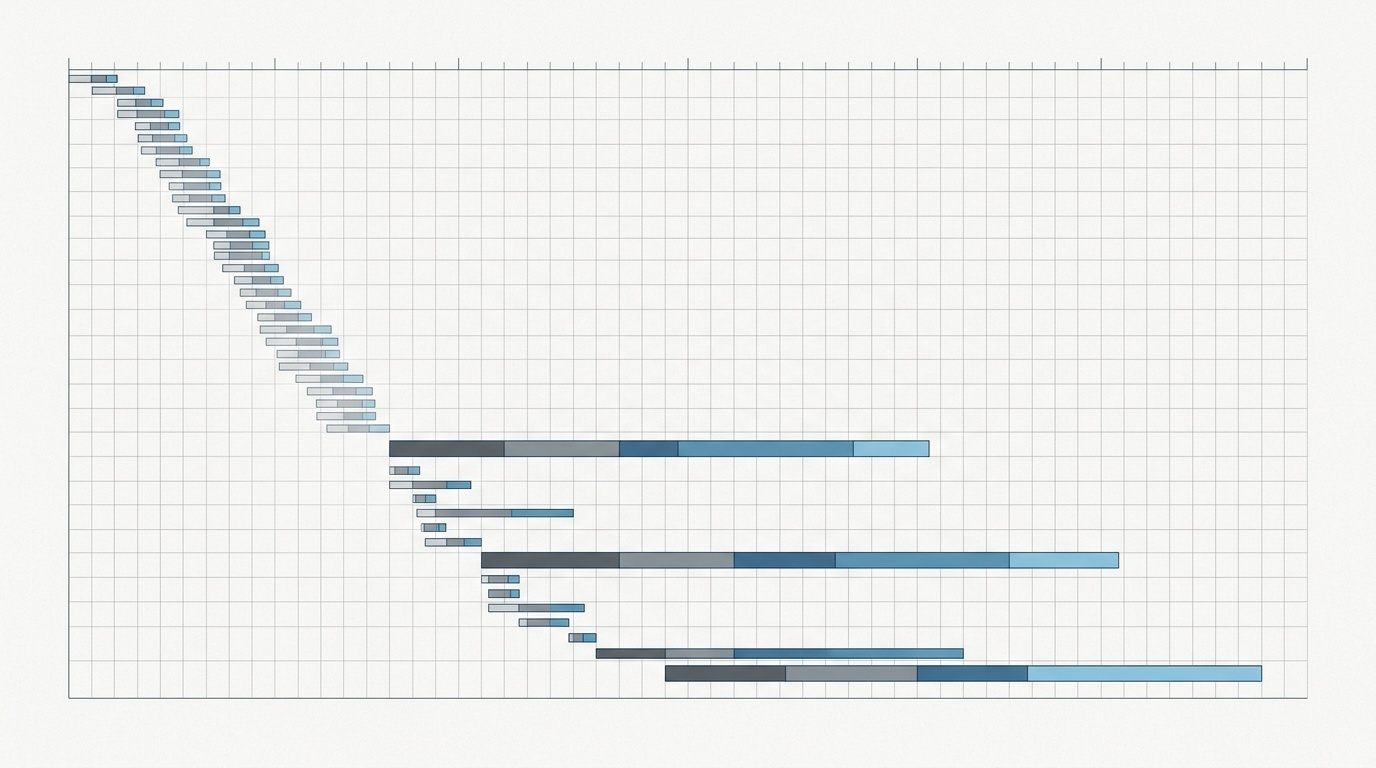
Hints जोड़ने से पहले DevTools में waterfall trace या lab report देखें। अगर आप Lighthouse इस्तेमाल कर रहे हैं, तो score के बजाय diagnostics से शुरू करें; हमारे पास घबराए बिना Lighthouse report पढ़ने पर एक अलग guide है — लेकिन ध्यान रखें कि सही URL case-sensitive है, इसलिए ज़रूरत हो तो अपनी site navigation से linked article इस्तेमाल करें।
असली evidence आम तौर पर तीन जगहों पर दिखता है:
- कोई critical resource देर से शुरू होता है क्योंकि browser उसे देर से discover करता है।
- किसी important origin से connection पहले request से पहले noticeable time लेता है।
- कोई next-page resource बहुत predictable है और idle time में fetch करना सस्ता है।
अगर इनमें से कुछ भी true नहीं है, तो hint शायद सिर्फ सजावट है।
Preload: current-page resources के लिए जो बहुत देर से discover होते हैं
preload browser से कहता है: “इस resource को अभी fetch करो क्योंकि current page को इसकी ज़रूरत होगी।”
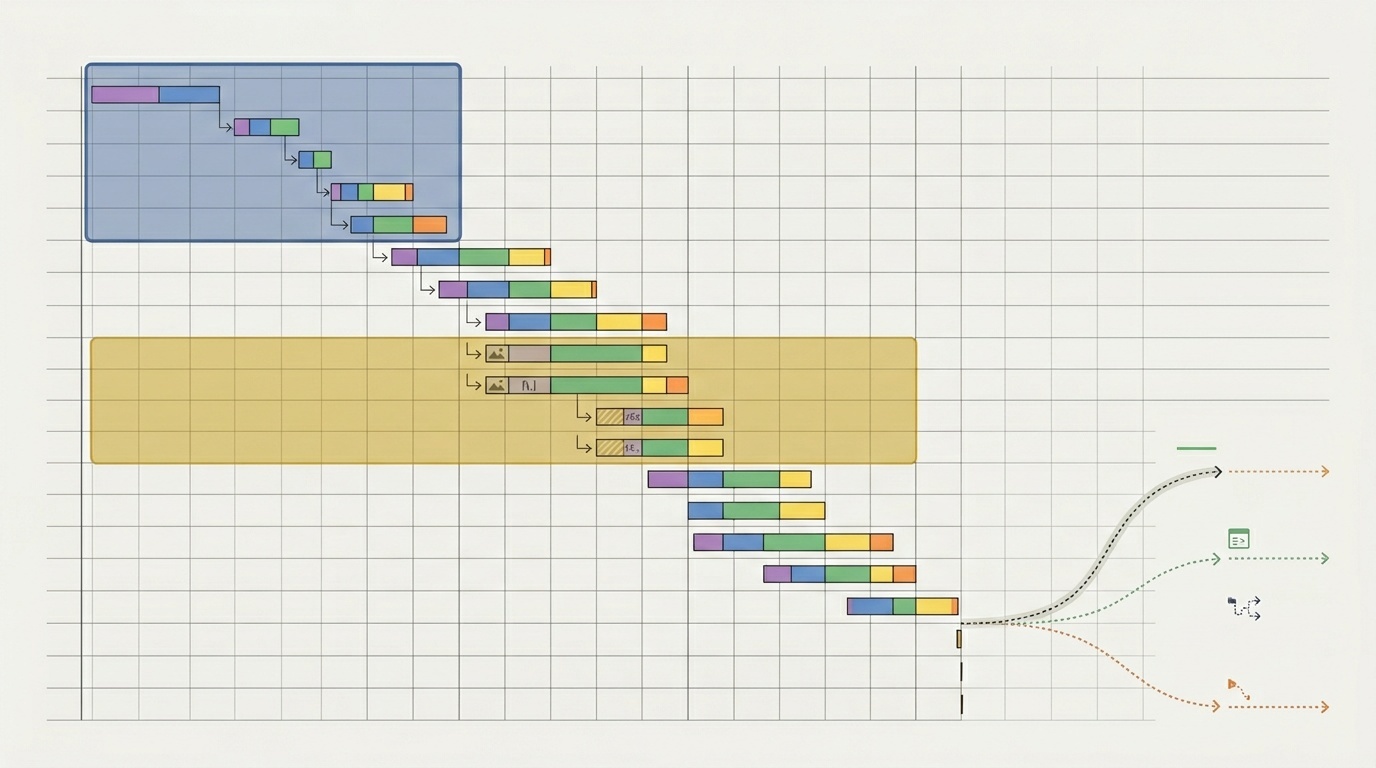
एक typical example CSS के अंदर referenced web font है। Browser को HTML download करना होता है, CSS discover करनी होती है, CSS download करनी होती है, उसे parse करना होता है, font discover करना होता है, फिर font request करना होता है। अगर वह font above-the-fold text के लिए important है, तो discovery इतनी late हो सकती है कि layout shifts या delayed text rendering हो जाए।
Preload उस request को पहले ला सकता है:
<link rel='preload' href='/fonts/inter-var.woff2' as='font' type='font/woff2' crossorigin>as attribute महत्वपूर्ण है। यह browser को बताता है कि यह किस तरह का resource है, जिससे priority, caching, content security policy, और request headers प्रभावित होते हैं। Fonts को आम तौर पर crossorigin भी चाहिए होता है, भले ही वे same site से serve हों, क्योंकि font fetching CORS mode इस्तेमाल करती है।
अच्छे preload candidates में शामिल हैं:
- Visible text के लिए इस्तेमाल होने वाला primary web font।
- ऐसा hero image जो Largest Contentful Paint element है और जल्दी discoverable नहीं है।
- Indirectly loaded critical CSS file।
- कोई module या script जिसकी बहुत जल्दी ज़रूरत है, लेकिन जो किसी दूसरी script के पीछे hidden है।
खराब preload candidates में शामिल हैं:
- Design system में मौजूद हर font weight।
- Fold के नीचे images।
- Scripts जिनकी initial rendering के लिए ज़रूरत नहीं है।
- Resources जिन्हें browser पहले HTML chunk में ही discover कर लेता है।
Preload powerful है क्योंकि यह current-page priority को प्रभावित करता है। इसी वजह से इसका misuse करना भी आसान है। अगर आप पाँच बड़े assets preload करते हैं, तो आप browser की मदद नहीं कर रहे। आप उससे बहस कर रहे हैं।
Fonts classic case हैं। एक primary font file preload करने से मदद मिल सकती है। छह weights और italics preload करने से आम तौर पर चीज़ें खराब होती हैं। अगर fonts आपका bottleneck हैं, तो पहले font set ठीक करें; हमारा guide कि web fonts are still the easiest performance win on most sites उस cleanup को और detail में cover करता है।
Preload और LCP images
LCP image को preload करना तब उपयोगी हो सकता है जब image initial HTML में visible न हो। Common causes में CSS background images, client-rendered components, या responsive image logic शामिल हैं जो देर से appear होता है।
लेकिन अगर आपका hero image पहले से HTML में एक <img> के रूप में है, sensible srcset, sizes, dimensions, और no lazy loading के साथ, तो browser उसे शायद जल्दी find कर सकता है। उस स्थिति में, page के आधार पर preload की बजाय fetchpriority='high' जोड़ना अधिक appropriate हो सकता है।
एक अच्छा test: अगर image request waterfall में late start होती है और LCP element बनती है, तो preload पर विचार करें। अगर वह जल्दी start होती है लेकिन धीरे download होती है, तो problem size, format, CDN behavior, या server latency है — discovery नहीं। Image format decisions के लिए देखें when AVIF beats WebP and when it does not।
Prefetch: next page के लिए, इस page के लिए नहीं
prefetch browser से कहता है: “इस resource की जल्द ज़रूरत पड़ सकती है, लेकिन अभी इसकी ज़रूरत नहीं है।”
यह distinction महत्वपूर्ण है। Prefetch जानबूझकर low priority होता है। Browser इसे idle time में fetch कर सकता है और बाद में उपयोग के लिए store कर सकता है। वह poor connections, data-saving modes, या memory pressure में इसे skip भी कर सकता है।
Prefetch तब इस्तेमाल करें जब user intent इतना strong हो कि अगला resource likely लगे।
अच्छे prefetch candidates में शामिल हैं:
- Multi-page checkout में next step।
- User के query type करना शुरू करने के बाद search results, अगर next route predictable है।
- Table of contents से linked documentation pages, जब user nearby content actively पढ़ रहा हो।
- Single-page app में route chunks, जब user navigation item पर hover या focus करता है।
खराब prefetch candidates में शामिल हैं:
- आपकी पूरी navigation tree।
- बड़े videos या image galleries।
- Third-party scripts “just in case।”
- Pages जिन्हें users rarely next visit करते हैं।
Prefetch में restraint payoff देता है। कोई resource fetch होकर कभी use न हो, तो वह free नहीं है। वह bandwidth, server capacity, energy, और संभवतः user data consume करता है। Mobile networks पर speculative fetching actively unfriendly हो सकती है।
कई sites के लिए best prefetch strategy intent-based होती है। Home page load होते ही pricing page prefetch न करें। उसे तब prefetch करें जब user pricing menu खोलता है, pricing link पर hover करता है, या ऐसे call-to-action के पास scroll करता है जो strongly navigation predict करता है।
यह भी याद रखें कि browser behavior varies करता है। कुछ browsers prefetch के साथ conservative होते हैं; कुछ privacy settings speculative loading को reduce या disable करती हैं। Prefetch को opportunistic improvement समझें, correctness mechanism नहीं।
Preconnect: important origins की expensive connections के लिए
preconnect browser से कहता है: “इस origin से connection setup अभी शुरू करो।”
इसमें DNS lookup, TCP connection, और TLS negotiation शामिल हो सकते हैं। Third-party origins के लिए यह setup सैकड़ों milliseconds ले सकता है, खासकर high-latency networks पर। अगर page को जल्द ही उस origin से critical request चाहिए, तो preconnect बाद की request को faster बना सकता है।
Example:
<link rel='preconnect' href='https://fonts.gstatic.com' crossorigin>अच्छे preconnect candidates में शामिल हैं:
- Render-blocking text के लिए इस्तेमाल होने वाला font origin।
- Initial interaction के दौरान needed critical API origin।
- Above-the-fold assets serve करने वाला CDN origin।
- User action के तुरंत बाद needed payments या identity provider।
खराब preconnect candidates में शामिल हैं:
- Analytics और advertising endpoints जो user-critical नहीं हैं।
- Origins जो केवल कुछ sessions में इस्तेमाल होते हैं।
- Third parties की लंबी lists।
- Same-origin resources, जहाँ browser के पास already connection है या जल्द open हो जाएगा।
Preconnect की holding cost होती है। Open sockets memory और network resources consume करते हैं। Browsers unused connections close कर देंगे, लेकिन इससे unnecessary preconnects harmless नहीं हो जाते।
एक उपयोगी rule: किसी page पर अधिकतम एक या दो high-confidence third-party origins पर preconnect करें। अगर आपको इससे ज़्यादा जोड़ने का मन हो रहा है, तो शायद आपके third-party architecture को review की ज़रूरत है, hints को expand करने की नहीं।
DNS-prefetch: हल्का cousin
आप dns-prefetch भी देख सकते हैं:
<link rel='dns-prefetch' href='https://example-cdn.com'>यह केवल domain name resolve करता है। यह TCP या TLS connection open नहीं करता। यह preconnect से cheaper है, लेकिन कम helpful भी है।
DNS-prefetch lower-confidence third-party origins के लिए reasonable हो सकता है जहाँ full preconnect बहुत aggressive लगता है। Practice में, अगर कोई origin critical है और definitely जल्द इस्तेमाल होगा, तो preconnect prefer करें। अगर वह सिर्फ possible है, तो या तो DNS-prefetch इस्तेमाल करें या कुछ न करें।
कैसे decide करें: एक practical workflow
Tags से नहीं, measurement से शुरू करें।
1. Bottleneck identify करें
Performance trace खोलें और late discovery देखें। क्या font, hero image, या script request केवल किसी दूसरी file के downloaded और parsed होने के बाद start हुई? यह preload candidate है।
अगर कोई request किसी third-party origin के long DNS/TCP/TLS setup के बाद ही start होती है, तो यह preconnect candidate है।
अगर current page ठीक है लेकिन next navigation predictably slow है, तो prefetch मदद कर सकता है।
2. एक समय में एक hint जोड़ें
Resource hints interact करते हैं। एक जोड़ें, उसे test करें, और उसे केवल तभी रखें जब waterfall improve हो और user-facing metrics regress न करें।
Preload के लिए देखें कि hinted resource सच में जल्द use हो रहा है या नहीं। Chrome warn कर सकता है जब preloaded resource load के थोड़ी देर बाद use नहीं होता। उस warning को गंभीरता से लें।
3. Priority side effects check करें
Preload bandwidth को CSS, JavaScript, या images से दूर खींच सकता है जो ज़्यादा matter करते हैं। Preconnect connection slot occupy कर सकता है। Prefetch background traffic जोड़ सकता है।
सही outcome यह नहीं है कि “hinted file earlier start होती है।” सही outcome यह है कि “page users के लिए meaningfully better हो जाता है।” जहाँ संभव हो LCP, INP, CLS, और real-user monitoring देखें।
4. Headers और caching verify करें
Hints HTML या HTTP Link headers में भेजे जा सकते हैं। Headers तब उपयोगी होते हैं जब server को पहले से पता हो कि page को क्या चाहिए, लेकिन उन्हें casually inspect करना कठिन होता है। अगर आप debug कर रहे हैं कि production में hint सच में मौजूद है या नहीं, तो raw headers मायने रखते हैं; यही ठीक वह स्थिति है जिसे our guide to debugging redirects and HTTP headers cover करता है।
Caching भी matter करती है। Mismatched credentials, गलत as, या अलग URL parameters के साथ resource preload करने से duplicate downloads हो सकते हैं। यही सबसे common तरीकों में से एक है जिससे well-intended preload performance bug बन जाता है।
Common mistakes
बहुत ज़्यादा preload करना
अगर सब कुछ critical है, तो कुछ भी critical नहीं है। Preload को initial rendering या immediate interactivity के लिए needed resources तक limit करें। Typical page में zero से three preloads होने चाहिए, twenty नहीं।
Required resources के लिए prefetch इस्तेमाल करना
Prefetch low priority और optional है। इसे current page के लिए required assets पर इस्तेमाल न करें। अगर page को इसकी अभी ज़रूरत है, तो preload या normal HTML discovery पर विचार करें।
हर third party पर preconnect करना
Third-party-heavy pages में अक्सर दस या अधिक external origins होते हैं। उन सभी पर preconnect करना noise पैदा करता है। उन एक या दो को चुनें जो critical भी हैं और predictably used भी।
Mobile conditions भूल जाना
Resource hints slower connections पर सबसे valuable होते हैं, लेकिन वहीं सबसे dangerous भी। Fast desktop connection पर wasted prefetch rounding error है। Constrained mobile plan पर यह खराब trade है।
एक simple decision table
| Situation | Best hint | Why | |---|---:|---| | CSS के through discovered critical font | preload | Current page को इसकी ज़रूरत है, discovery late है | | CSS या client rendering के पीछे hidden hero image | preload | अगर image late start होती है तो LCP improve कर सकता है | | User intent के बाद likely next route | prefetch | Current page को block किए बिना future navigation में मदद करता है | | Critical third-party font/API origin | preconnect | Critical path से connection setup हटाता है | | Possible but uncertain third-party origin | dns-prefetch or none | Lower cost, lower confidence | | Below-the-fold image | none | Lazy loading और browser priority को काम करने दें |
The calm rule
Resource hints तब सबसे अच्छा काम करते हैं जब वे boring और specific हों। One font। One LCP image। One important third-party origin। Intent के बाद one likely next route।
वे तब खराब काम करते हैं जब उन्हें optimism की तरह इस्तेमाल किया जाता है: शायद user को इसकी ज़रूरत होगी, शायद browser को वह fetch करना चाहिए, शायद अधिक hints का मतलब अधिक speed है।
Browsers पहले से aggressively optimize करते हैं। आपका काम हर request को micromanage करना नहीं है। आपका काम उन कुछ cases को correct करना है जहाँ browser के पास सही moment पर information नहीं होती।
अक्सर पूछे जाने वाले प्रश्न
क्या मुझे अपने सभी fonts preload करने चाहिए?
क्या हर internal link के लिए prefetch इस्तेमाल करना safe है?
preconnect और dns-prefetch में क्या difference है?
क्या resource hints Core Web Vitals improve कर सकते हैं?
Resource hints HTML में जोड़ने चाहिए या HTTP headers में?
स्रोत और आगे की पढ़ाई