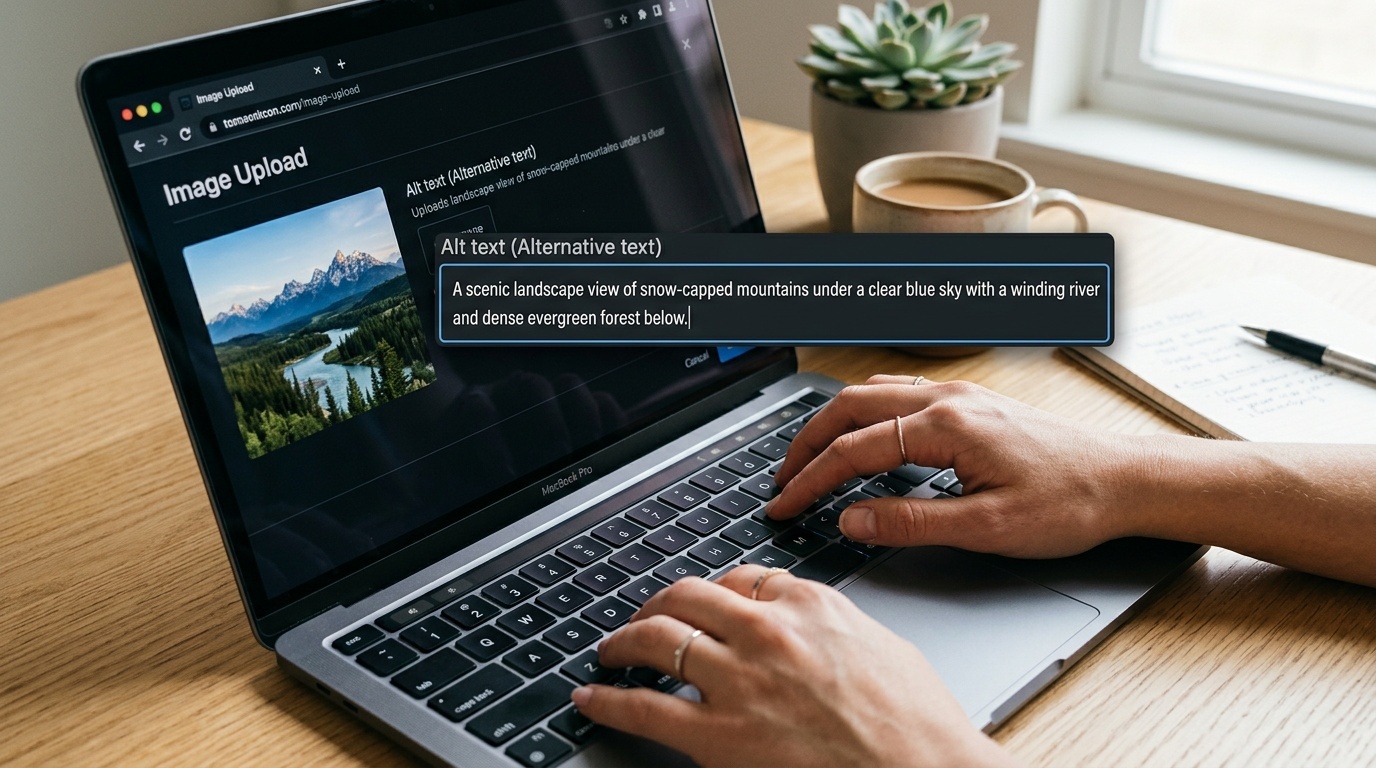
SEO और सुलभता में मदद करने वाले इमेज फ़ाइलनाम कैसे लिखें
वेब इमेज के लिए एक व्यावहारिक नामकरण पद्धति: वर्णनात्मक, स्थिर, मानव-पठनीय, और कीवर्ड से ठूँसी हुई नहीं।
सामग्री की तालिका
- इमेज फ़ाइलनाम मायने रखते हैं, लेकिन उतने नहीं जितना लोग दावा करते हैं
- संक्षिप्त नियम
- अच्छा इमेज फ़ाइलनाम SEO के लिए क्या करता है
- अच्छा इमेज फ़ाइलनाम सुलभता के लिए क्या करता है
- एक व्यावहारिक नामकरण पद्धति
- Hyphens, lowercase, और plain words का उपयोग करें
- फ़ाइलनाम छोटे रखें, लेकिन अस्पष्ट नहीं
- इमेज फ़ाइलनामों में keyword stuffing न करें
- फ़ाइलनाम को वास्तविक image से मिलाएँ
- Filenames को alt text से अलग रखें
- अलग-अलग site types के लिए images का नामकरण
- Ecommerce
- Blogs और editorial sites
- SaaS और documentation
- Local businesses
- Image dimensions और versions का क्या?
- एक त्वरित pre-publish checklist
- शांत लाभ: बेहतर टीमें
इमेज फ़ाइलनाम मायने रखते हैं, लेकिन उतने नहीं जितना लोग दावा करते हैं
इमेज फ़ाइलनाम वेब की उन छोटी बारीकियों में से हैं जिनके बारे में बहुत अधिक निश्चितता दिखाई जाती है। कुछ टीमें उन्हें पूरी तरह अनदेखा करती हैं और IMG_7421.jpg प्रकाशित कर देती हैं। दूसरी टीमें हर product photo को एक छोटे keyword essay में बदल देती हैं।
उपयोगी बीच का रास्ता सरल है: ऐसे फ़ाइलनाम लिखें जो इमेज का स्पष्ट वर्णन करें, लोगों को assets प्रबंधित करने में मदद करें, और search engines को थोड़ा अतिरिक्त संदर्भ दें। यह उम्मीद न करें कि फ़ाइलनाम कमजोर content, गायब alt text, धीमी images, या भ्रमित करने वाले page को बचा लेंगे।
Google स्पष्ट रूप से images के लिए छोटे, वर्णनात्मक फ़ाइलनामों की सिफारिश करता है। यह अच्छी सलाह है। यह सीमित सलाह भी है। फ़ाइलनाम कई संकेतों में से एक contextual clue है: आसपास का text, page title, structured data, captions, alt text, links, image quality, और क्या image वास्तव में page के लिए उपयोगी है।
सुलभता के मामले में भी बात समान है। अच्छा फ़ाइलनाम alt text का विकल्प नहीं है। लेकिन कुछ गलत होने पर यह नुकसान कम कर सकता है, और editors, developers, तथा उन users के लिए जीवन आसान बनाता है जो file को download, save, या share करते हैं।
संक्षिप्त नियम
ऐसा फ़ाइलनाम उपयोग करें जो इस प्रश्न का उत्तर दे:
अगर किसी ने केवल फ़ाइलनाम देखा, तो क्या उसे मोटा-मोटी अंदाज़ा होगा कि image में क्या है?
अच्छा:
red-running-shoes-side-view.jpgcheckout-error-message-mobile.pngoak-dining-table-120cm-walnut.jpgteam-planning-workshop-whiteboard.webp
खराब:
IMG_7421.jpgfinal-final-v3-new.jpgbest-cheap-running-shoes-buy-online-discount-sale.jpgscreenshot.png
लक्ष्य कविता लिखना नहीं है। लक्ष्य उपयोगी विशिष्टता है।
अच्छा इमेज फ़ाइलनाम SEO के लिए क्या करता है
अच्छा फ़ाइलनाम search engines को image समझने में मदद करता है, खासकर image search contexts में। यह page के topic और visual के subject को मजबूत कर सकता है।
लेकिन मूल बातों की तुलना में यह एक कमजोर संकेत है:
- image किसी relevant page पर दिखाई देती है।
- आसपास की copy image को समझाती या support करती है।
- ज़रूरत होने पर image में उपयुक्त alt text है।
- image crawlable और indexable है।
- file अनावश्यक रूप से बड़ी नहीं है।
- page भरोसेमंद तरीके से load होता है।
अगर आप organic search के लिए images ठीक कर रहे हैं, तो page relevance और usefulness से शुरू करें। फिर filenames साफ करें। फिर जहाँ उपयुक्त हो वहाँ compression, formats, dimensions, lazy loading, और structured data देखें। अगर आपका naming cleanup एक व्यापक image performance pass में बदल रहा है, तो image formats in 2026 पर हमारी guide उपयोगी साथी है।
अच्छा इमेज फ़ाइलनाम सुलभता के लिए क्या करता है
कड़ाई से कहें तो filenames images के लिए मुख्य accessibility mechanism नहीं हैं। Alt text है।
अगर कोई image जानकारी देती है, तो alt attribute को text alternative देना चाहिए। अगर image decorative है, तो alt attribute आम तौर पर empty होना चाहिए: alt=""। अगर image link या button है, तो alternative text को action या destination का वर्णन करना चाहिए, केवल pixels का नहीं।
हमने इसे a pragmatic guide to image alt text in 2026 में विस्तार से कवर किया है, और alt text को एक अलग editorial task मानना उचित है।
तो फिर accessibility के लिए filenames की चिंता क्यों करें?
क्योंकि filenames अक्सर experience के किनारों पर सामने आ जाते हैं:
- कुछ assistive technology/browser combinations alt text missing होने पर filename दिखा सकते हैं।
- Downloaded images को web page के बाहर समझने योग्य names चाहिए।
- CMS media libraries का audit तब आसान होता है जब names descriptive हों।
- जब files स्पष्ट नामित हों, तो editors द्वारा गलत image attach करने की संभावना कम होती है।
- Broken images और debugging views को समझना आसान होता है।
फ़ाइलनाम किसी inaccessible image को accessible नहीं बना देगा। लेकिन खराब फ़ाइलनाम failures को और भ्रमित कर सकता है।
एक व्यावहारिक नामकरण पद्धति
यह default pattern उपयोग करें:
subject-detail-context.ext
Examples:
espresso-machine-steam-wand-closeup.jpgpricing-table-enterprise-plan-desktop.pnggarden-chair-green-metal-front-view.webppassword-reset-email-example.png
Products के लिए, थोड़ा अधिक structured version अक्सर बेहतर काम करता है:
brand-product-model-color-view.ext
Examples:
acme-trail-jacket-blue-front.jpgnorthline-desk-lamp-brass-side.webpterra-ceramic-mug-white-top-view.jpg
Editorial images के लिए:
topic-specific-scene.ext
Examples:
remote-team-video-call-laptop.jpgcity-bike-lane-rain-evening.jpgdeveloper-debugging-http-headers-terminal.png
UI screenshots के लिए:
feature-state-device.ext
Examples:
checkout-validation-error-mobile.pngaccount-settings-two-factor-enabled-desktop.pnganalytics-dashboard-empty-state-tablet.png
यह rigid taxonomy के बारे में नहीं है। यह अस्पष्टता हटाने के बारे में है।
Hyphens, lowercase, और plain words का उपयोग करें
Public web assets के लिए, इन्हें प्राथमिकता दें:
- Lowercase letters
- Words के बीच hyphens
- Spaces नहीं
- Underscores नहीं
- Hyphens के अलावा punctuation नहीं
- Special characters नहीं, जब तक आपका system उन्हें require न करे
अच्छा:
blue-cotton-shirt-front.jpg
बचें:
Blue Cotton Shirt (Front).jpg
blue_cotton_shirt_front.jpg
bluecottonshirtfront.jpg
Hyphens पढ़ने में आसान, copy करने में आसान, और URLs में word separators के रूप में व्यापक रूप से समझे जाते हैं। Lowercase local development, Linux servers, CDNs, और object storage के बीच परेशान करने वाले case-sensitivity bugs से भी बचाता है।
फ़ाइलनाम छोटे रखें, लेकिन अस्पष्ट नहीं
फ़ाइलनाम इतना लंबा होना चाहिए कि image का वर्णन कर सके और इतना छोटा कि readable रहे।
Extension से पहले आम तौर पर 3 से 8 words की range उपयोगी होती है।
बहुत अस्पष्ट:
shoes.jpg
बेहतर:
red-running-shoes-side-view.jpg
बहुत ज़्यादा:
best-lightweight-red-running-shoes-for-marathon-training-side-view-discount.jpg
बेहतर:
red-marathon-running-shoes-side-view.jpg
अगर phrase किसी परेशान marketer द्वारा लिखी search query जैसी लगती है, तो वह शायद बहुत लंबी है।
इमेज फ़ाइलनामों में keyword stuffing न करें
Filenames में keyword stuffing आम तौर पर इस बात का संकेत है कि page अपना काम नहीं कर रहा।
खराब:
best-seo-agency-seo-services-seo-consultant-seo-company.jpg
यह users के लिए मददगार नहीं है। यह editors के लिए मददगार नहीं है। यह कोई गंभीर accessibility practice नहीं है। यह आपकी site को lower quality भी दिखाता है।
Image में दिखाई गई चीज़ का natural name उपयोग करें। अगर कोई keyword इसलिए fit होता है क्योंकि वह image का accurate वर्णन करता है, तो उसे उपयोग करें। अगर नहीं, तो उसे छोड़ दें।
उदाहरण के लिए, अगर image एक black leather sofa की photo है, तो black-leather-sofa-three-seat.jpg ठीक है। best-modern-luxury-living-room-furniture-online.jpg फ़ाइलनाम नहीं है; यह मदद की पुकार है।
फ़ाइलनाम को वास्तविक image से मिलाएँ
यह स्पष्ट लगता है, लेकिन image libraries समय के साथ बदल जाती हैं। homepage-hero-new.jpg नाम की file अंततः कोई अलग product, अलग व्यक्ति, या पूरी तरह अलग campaign दिखा सकती है।
इससे दो समस्याएँ बनती हैं।
पहला, search engines और users को inconsistent signals मिलते हैं। दूसरा, teams media library पर भरोसा करना बंद कर देती हैं।
अगर image का अर्थ बदलता है, तो publish करने से पहले उसका नाम बदलें। अगर आपका CMS या CDN rename करना कठिन बनाता है, तो जहाँ संभव हो descriptive public filenames generate करते हुए internally stable asset IDs उपयोग करने पर विचार करें।
एक अच्छा internal workflow यह हो सकता है:
- Original asset upload करें।
- Privacy मायने रखती हो तो unnecessary metadata हटाएँ।
- Site पर उपयोग होने वाले derivative का नाम बदलें।
- सही dimensions और format में export करें।
- CMS में alt text और captions जोड़ें।
अगर photos users, staff, या field teams से आती हैं, तो याद रखें कि filenames केवल एक privacy surface हैं। EXIF data में timestamps, camera details, और location information हो सकती है। Sensitive images publish करने से पहले how to strip EXIF metadata before sharing photos online पर हमारी guide देखें।
Filenames को alt text से अलग रखें
एक common mistake है filename और alt text के लिए same phrase उपयोग करना।
कभी-कभी यह स्वीकार्य है। अक्सर यह आलसी तरीका होता है।
Filename:
red-running-shoes-side-view.jpg
Product page पर अच्छा alt text:
Red running shoe shown from the side, with a white foam sole and black laces.
Color selector thumbnail पर अच्छा alt text:
Red
अगर image decorative है तो अच्छा alt text:
alt=""
Filename asset की पहचान करता है। Alt text context में user की सेवा करता है। ये संबंधित काम हैं, एक जैसे काम नहीं।
अलग-अलग site types के लिए images का नामकरण
Ecommerce
Product type, important variant, और view शामिल करें।
Examples:
linen-shirt-white-front.jpglinen-shirt-white-back.jpglinen-shirt-white-collar-detail.jpg
Prices, promotions, या temporary campaign language जोड़ने से बचें। ये बहुत बार बदलते हैं।
Blogs और editorial sites
Scene या concept का वर्णन करें, article headline का नहीं।
अच्छा:
designer-reviewing-mobile-layout.jpg
कम उपयोगी:
ultimate-guide-to-mobile-ux.jpg
Image reuse, crop, या syndicate की जा सकती है। Scene-based name बेहतर ढंग से पुराना होता है।
SaaS और documentation
Screenshots को feature, state, और platform के आधार पर नाम दें।
Examples:
billing-settings-payment-method-empty-state.pngproject-dashboard-filter-menu-open.pngapi-token-created-confirmation-modal.png
इससे documentation updates बहुत कम कष्टदायक होते हैं।
Local businesses
Service, object, या location का उपयोग करें जब वह सच में visible और relevant हो।
Examples:
bakery-window-display-sourdough-loaves.jpgdental-clinic-reception-area-berlin.jpgplumber-repairing-kitchen-sink.jpg
हर file में city names न जोड़ें अगर image उसे support नहीं करती। Wrench की photo अर्थपूर्ण रूप से wrench-london.jpg नहीं है।
Image dimensions और versions का क्या?
Main descriptive name में dimensions डालने से बचें, जब तक आपका system उसे require न करे।
बेहतर asset family:
red-running-shoes-side-view.jpgred-running-shoes-side-view-800w.jpgred-running-shoes-side-view-1600w.jpg
अगर आपका build system responsive variants अपने आप generate करता है, तो उसे widths या hashes append करने दें। जब तक आपको future archaeology पसंद न हो, dozens of filenames हाथ से maintain न करें।
Content hashes caching के लिए ठीक हैं:
red-running-shoes-side-view.a8f31c.webp
Descriptive part अभी भी मौजूद है। Hash machine की सेवा करता है।
एक त्वरित pre-publish checklist
Image publish करने से पहले पूछें:
- क्या filename plain language में image का वर्णन करता है?
- क्या यह lowercase और hyphen-separated है?
- क्या यह keyword stuffing से मुक्त है?
- क्या यह
new,final, याv2जैसे temporary words से बचता है? - क्या alt text page context में समझ में आता है?
- क्या file format और size उपयुक्त हैं?
- जहाँ आवश्यक हो, क्या sensitive metadata हटाया गया है?
अगर आप इनका उत्तर yes में दे सकते हैं, तो filename शायद पर्याप्त अच्छा है। Decorative divider का नाम रखने में 20 minutes खर्च न करें। लेकिन DSC0038.jpg को permanent public URL बनने से रोकने में 20 seconds ज़रूर लगाएँ।
<!-- tool-cta:start -->
💡 इसे आज़माएँ: Case Converter के साथ फ़ाइल नामों को थोक में lowercase-kebab-case में सामान्य करें, ताकि आपके चित्रों के नाम पूरे प्रोजेक्ट में सुसंगत रहें।
<!-- tool-cta:end -->
शांत लाभ: बेहतर टीमें
Image filenames का SEO value मामूली है। Operational value अधिक बड़ी है।
अच्छे filenames media libraries को searchable बनाते हैं। वे duplicate uploads कम करते हैं। वे designers, developers, marketers, और support teams को छह previews खोले बिना same asset के बारे में बात करने में मदद करते हैं। वे audits को तेज़ बनाते हैं।
Image naming को standardize करने का वास्तविक कारण यही है। Search engines clarity से लाभ उठाते हैं, लेकिन लोग भी। और काम आम तौर पर सबसे पहले लोगों के पास ही टूटता है।
अक्सर पूछे जाने वाले प्रश्न
क्या image filenames सच में SEO को प्रभावित करते हैं?
क्या मुझे अपनी site पर पुरानी images का नाम बदलना चाहिए?
क्या image filenames में hyphens underscores से बेहतर हैं?
क्या मैं filename और alt text के लिए same text उपयोग कर सकता हूँ?
क्या filenames में keywords शामिल होने चाहिए?
स्रोत और आगे की पढ़ाई